Both of you. Every account. One picture.
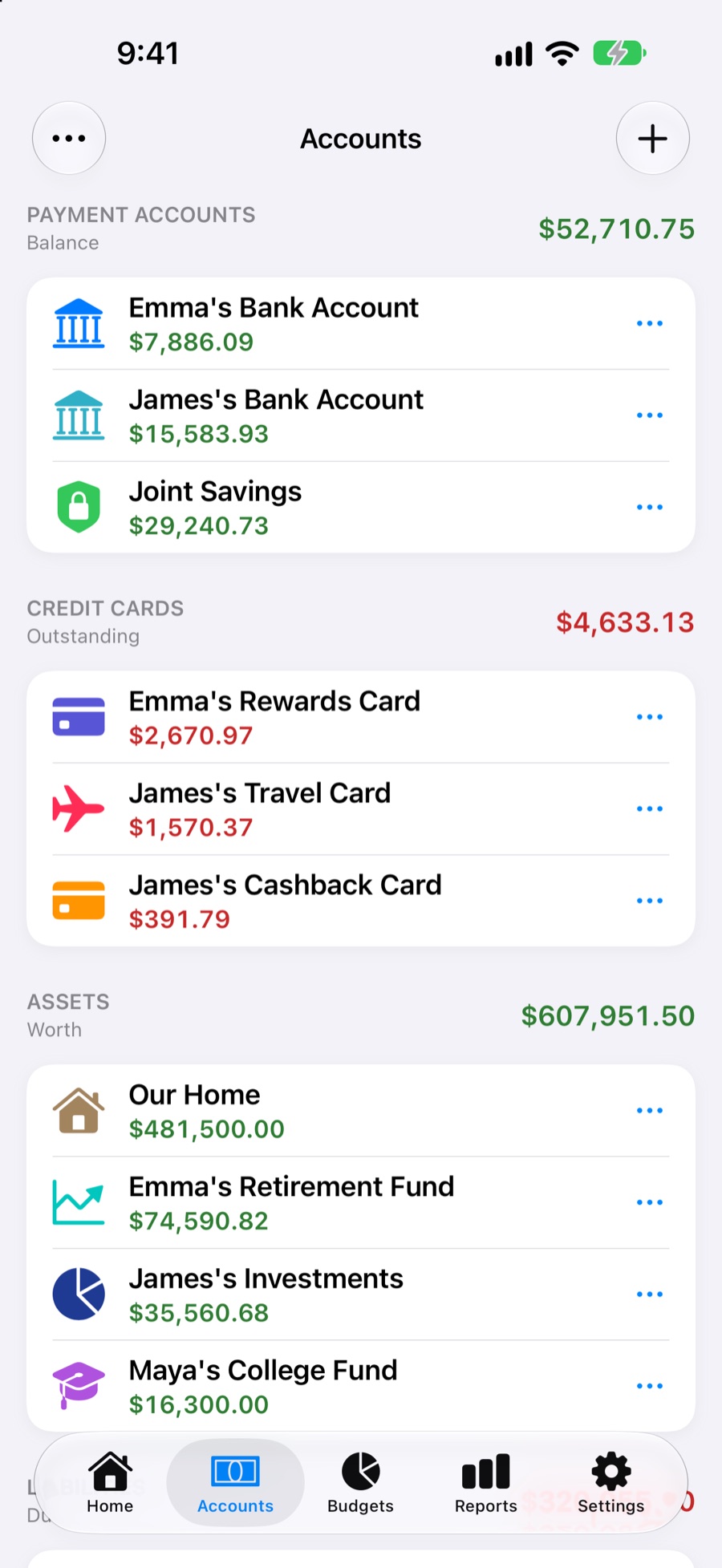
Each of you adds your own bank accounts and credit cards to one shared profile, next to the home and investments you own together, the loans you share and money people owe you. Your household's real net worth, budgets and bills, with nothing hidden.
- One honest picture. No more "what's that charge on your card?" Every account and every payment, whoever made it.
- Household budgets. Groceries counts spending from every card in the family, not just yours.
- See who did what. Every transaction shows who added it and who last edited it, with names and photos from your Contacts.
- Invite with a QR code or link that opens MoneyBook straight from Messages. Approve each request, and choose who can edit and who can only view.
- One currency per profile. The owner picks it, so everyone sees the same amounts.
Your money lives in your iCloud. Not ours.
MoneyBook has no account to make, no servers that receive your finances and nothing that tracks you. Your accounts, budgets and transactions are saved on your device and synced through your own iCloud with Apple's CloudKit, so we never see a single amount.
Synced by your own iCloud
Accounts, categories, budgets and transactions sync to your iPhone, iPad, Mac and Apple Watch through your Apple Account. The Watch syncs with iCloud itself.
No ads, no analytics, no tracking
No third-party code watching your spending. We don't collect your data, so there's nothing to sell, share or leak.
Shared profiles you control
A profile you share stays in your iCloud, seen only by the people you approve. Change someone's access or remove them at any time; leaving a profile removes it from their devices.
Private AI
"Pizza 24 from Visa Card" is read by Apple Intelligence on your device, or on Private Cloud Compute, which doesn't store it. Only your account and category names go with it, never other amounts, and it never reaches us.
Siri history stays on your device
So a misheard entry can be fixed, the last 20 added by sentence stay on that device for up to 7 days, never sent anywhere. Clear Siri History removes them.
Support without snooping
Email Support adds technical details you can see and remove first: no amounts, notes, or account, category, profile or people's names. Recent Siri entries go only if you choose Include.
- Your accounts, categories, budgets and transactions
- Profiles you share, with the people you approve
- A profile someone shares with you
- On our servers: we don't have any for your data
- With advertisers or data brokers
- With anyone you haven't approved
Read the full privacy policy.
Just say it. Apple Intelligence files it.
Press the Action button or say "Add expense in MoneyBook", then say it the way you'd say it out loud: a number, a name, a card. Apple Intelligence works out the amount, the account and the category for you.
- Knows what you bought. "58 Shell cashback card" goes to Fuel, from James's Cashback Card, without anyone saying "fuel".
- Suggests new categories. "2.90 MTA rewards card" has no category yet, so Siri offers Public Transport, new under Transport, and creates it when you pick it.
- Income and transfers too. "Add income in MoneyBook" and "Add transfer in MoneyBook" work the same way. Prefer to go step by step? Add "manually".
- Private. Your sentence is read on your device on iOS 26, or with Apple's Private Cloud Compute on iOS 27.
⊕ Public Transport
New · in Transport
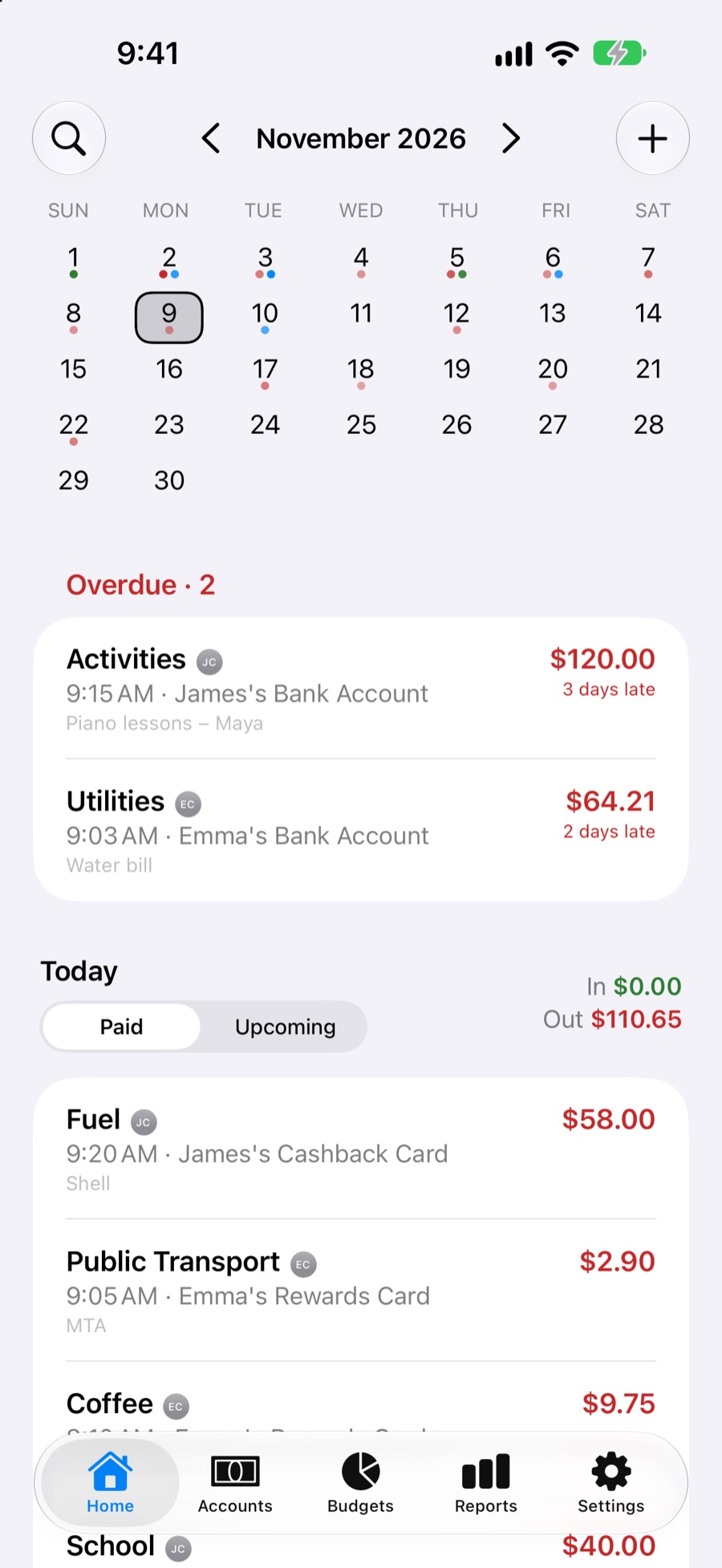
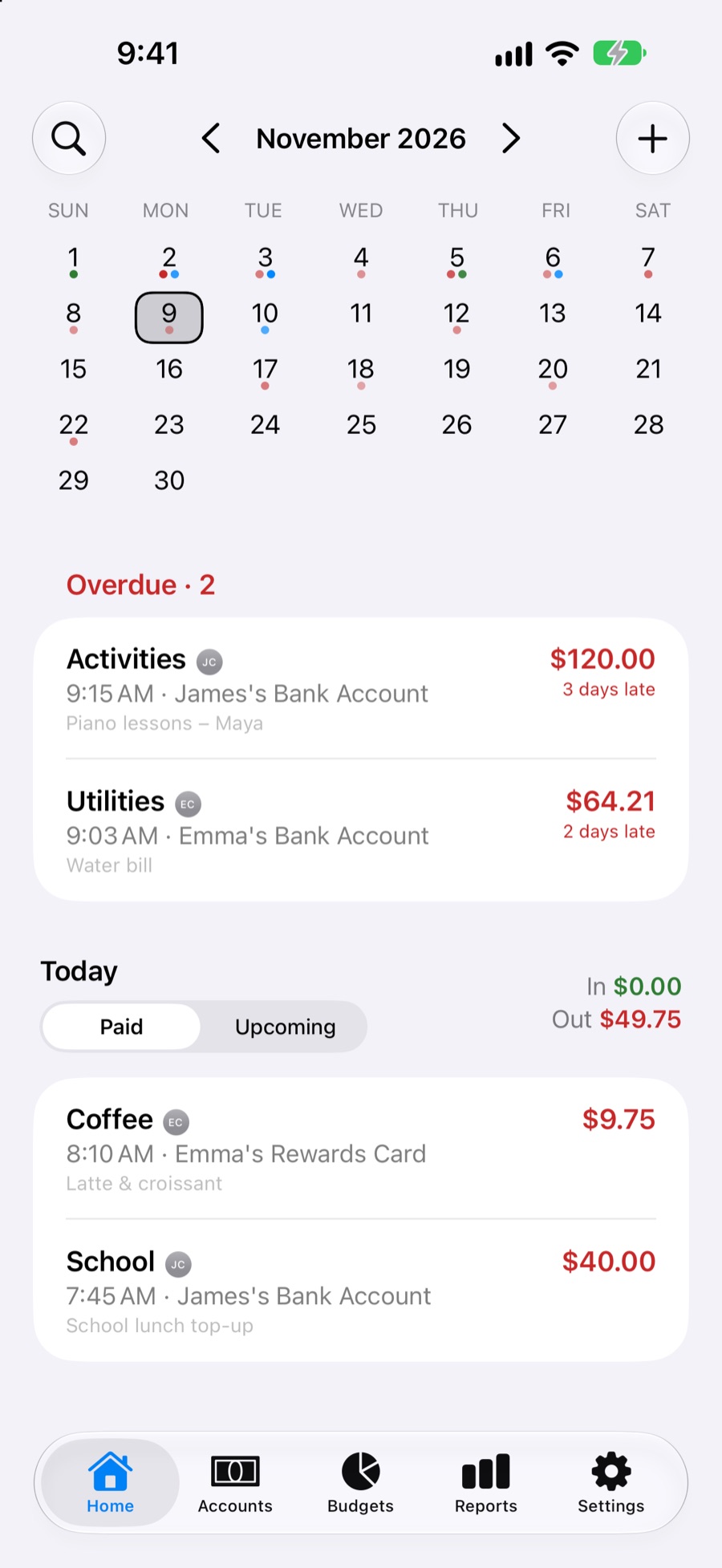
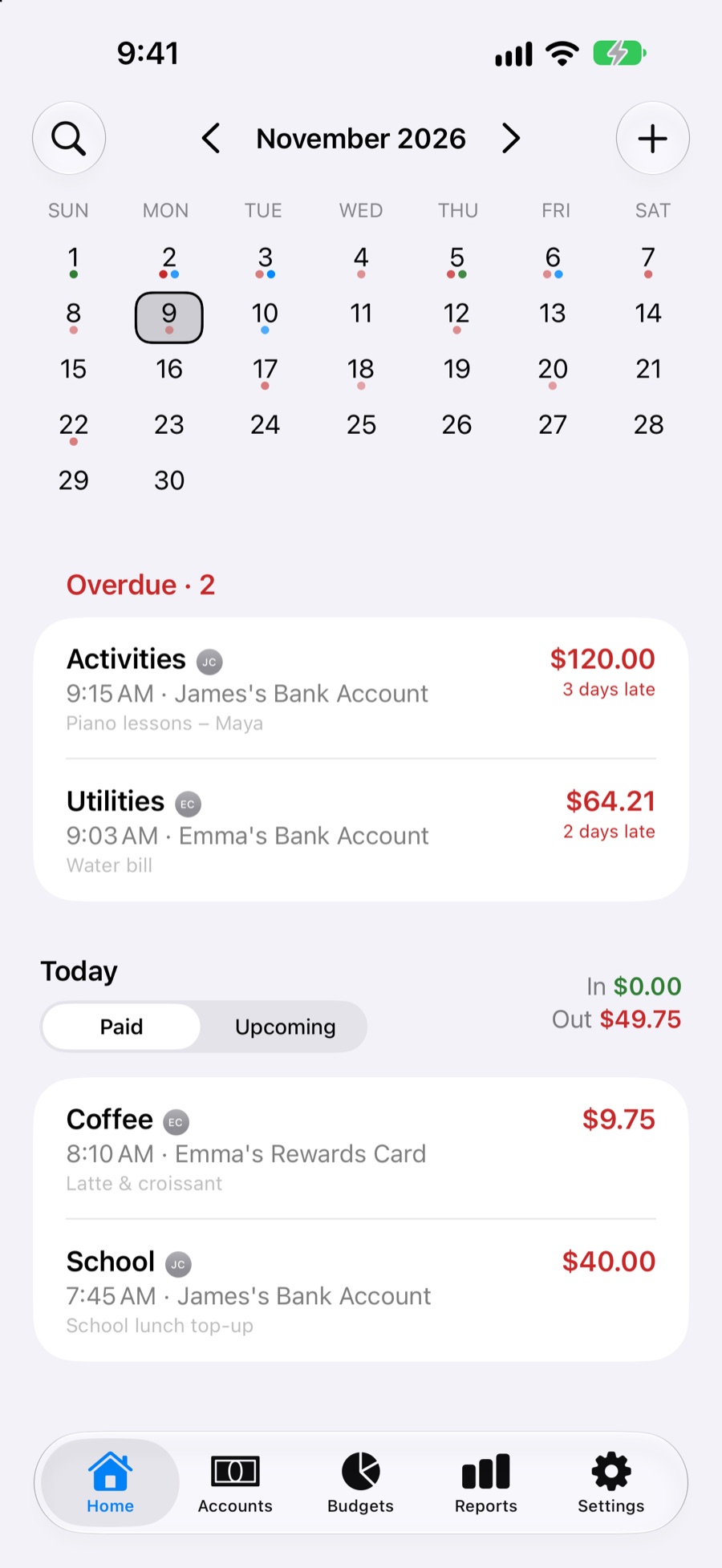
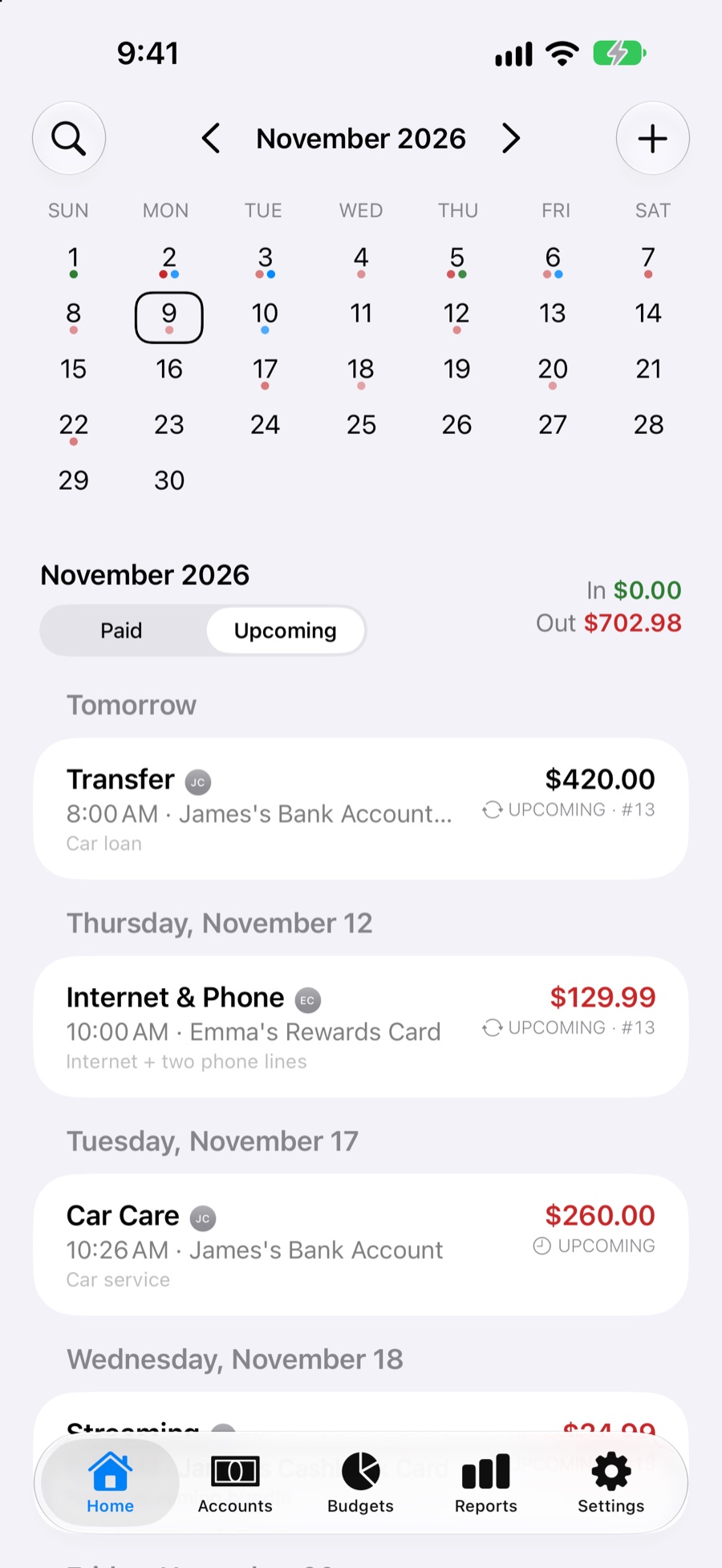
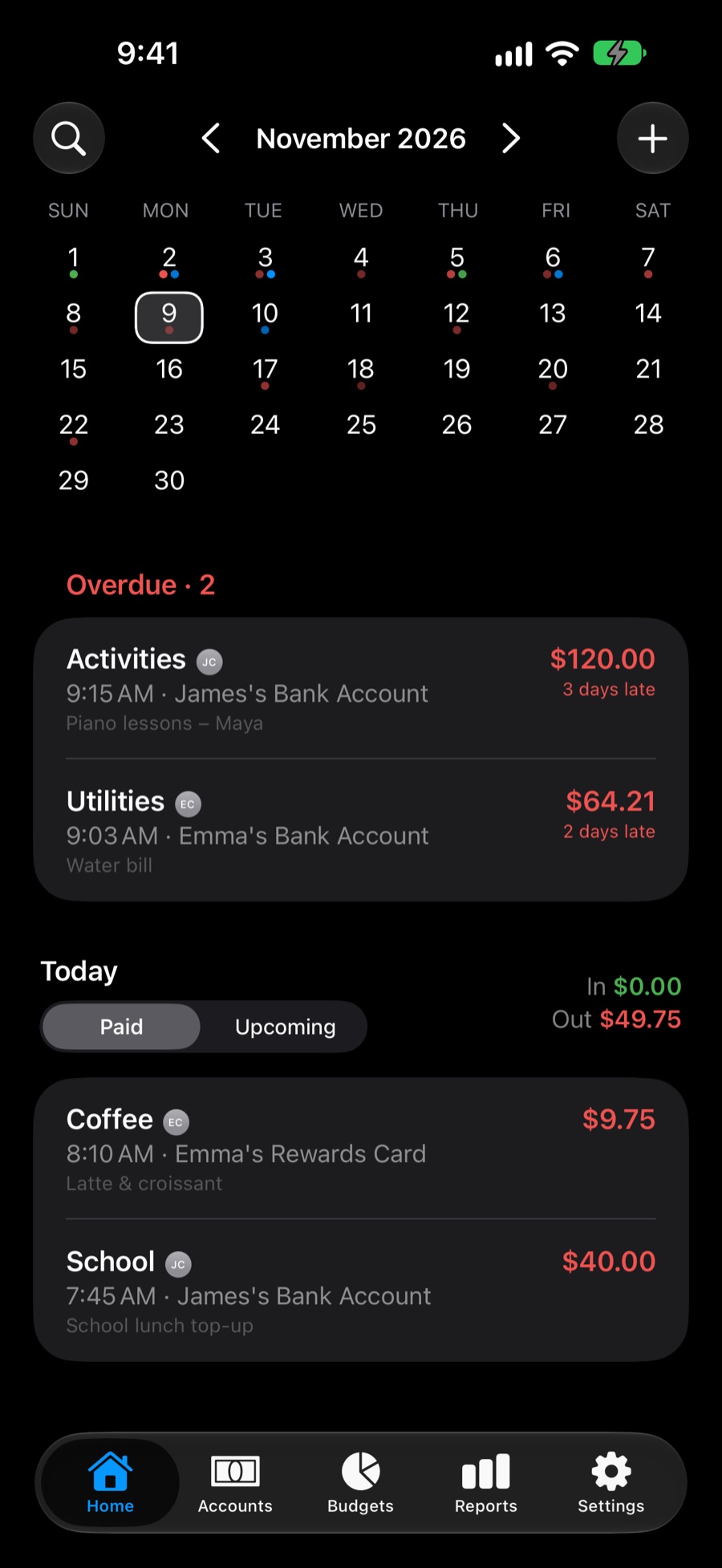
Your month at a glance, overdue bills first.
Coloured dots under each day show how much went out, came in and moved between accounts. The deeper the dot, the bigger the day.
- Paid and Upcoming for any day or the whole month, with money in and out.
- Overdue bills head the list. Mark one paid or move it to another day.
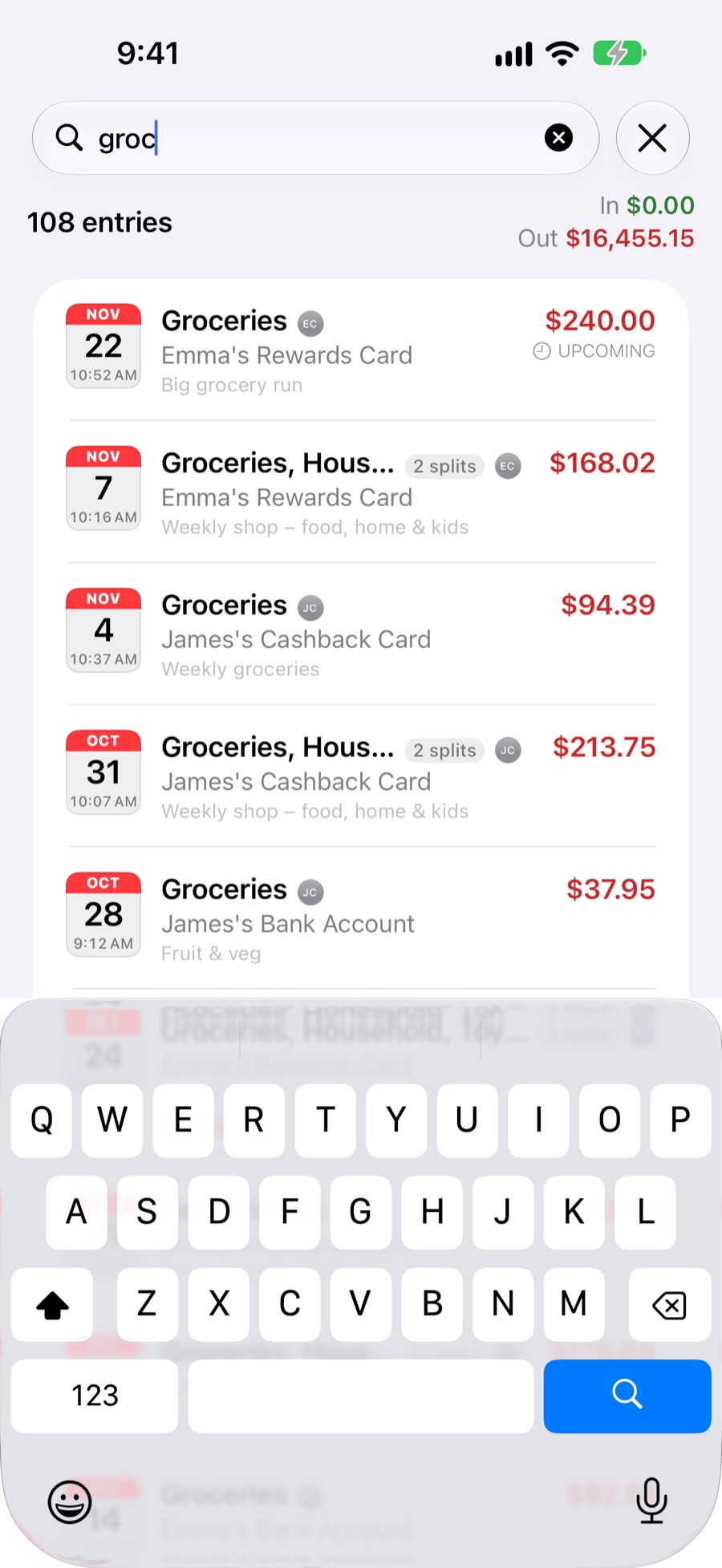
- Search everything by note, category, account or amount.
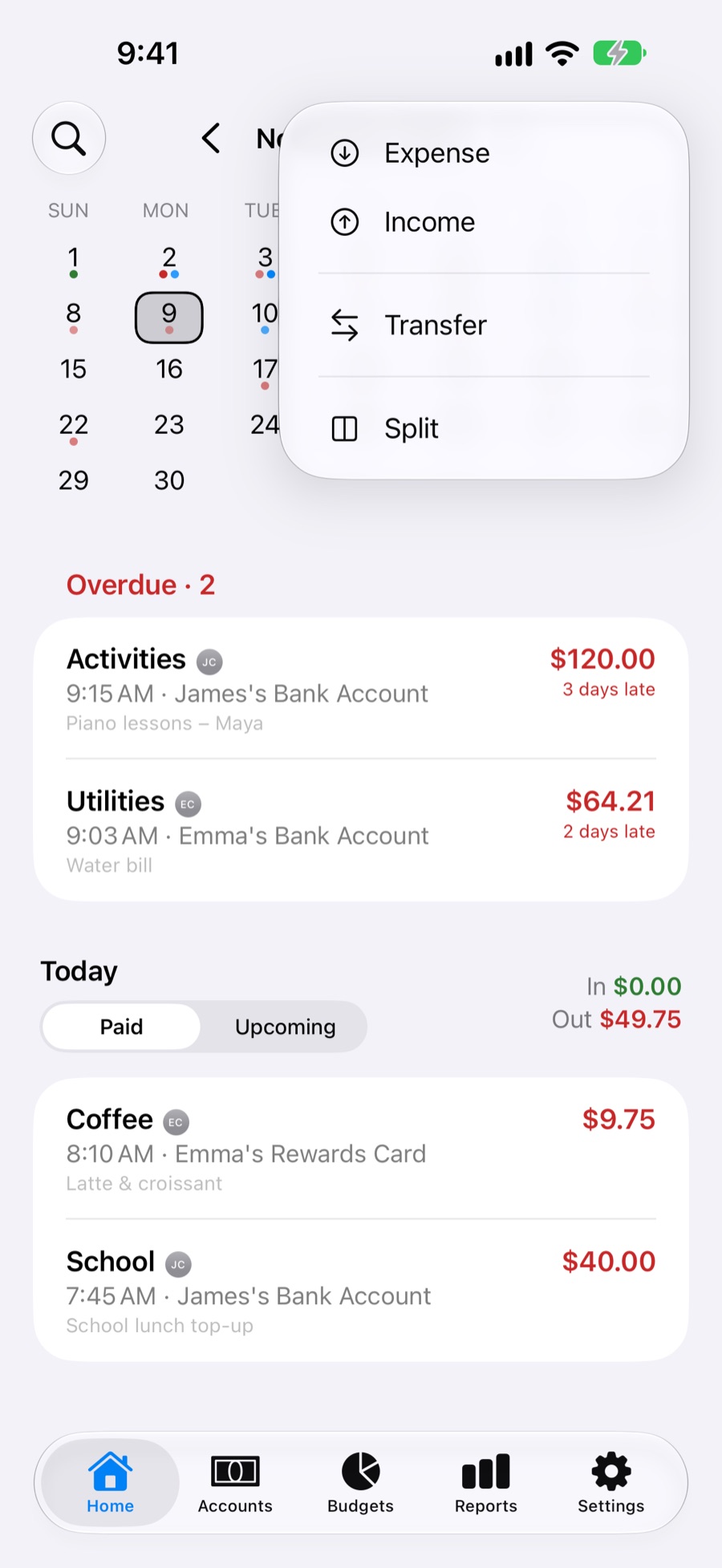
Log anything, from a coffee to a split shopping trip.
Record expenses, income, transfers and balance adjustments. A built-in calculator keypad works out amounts as you type.
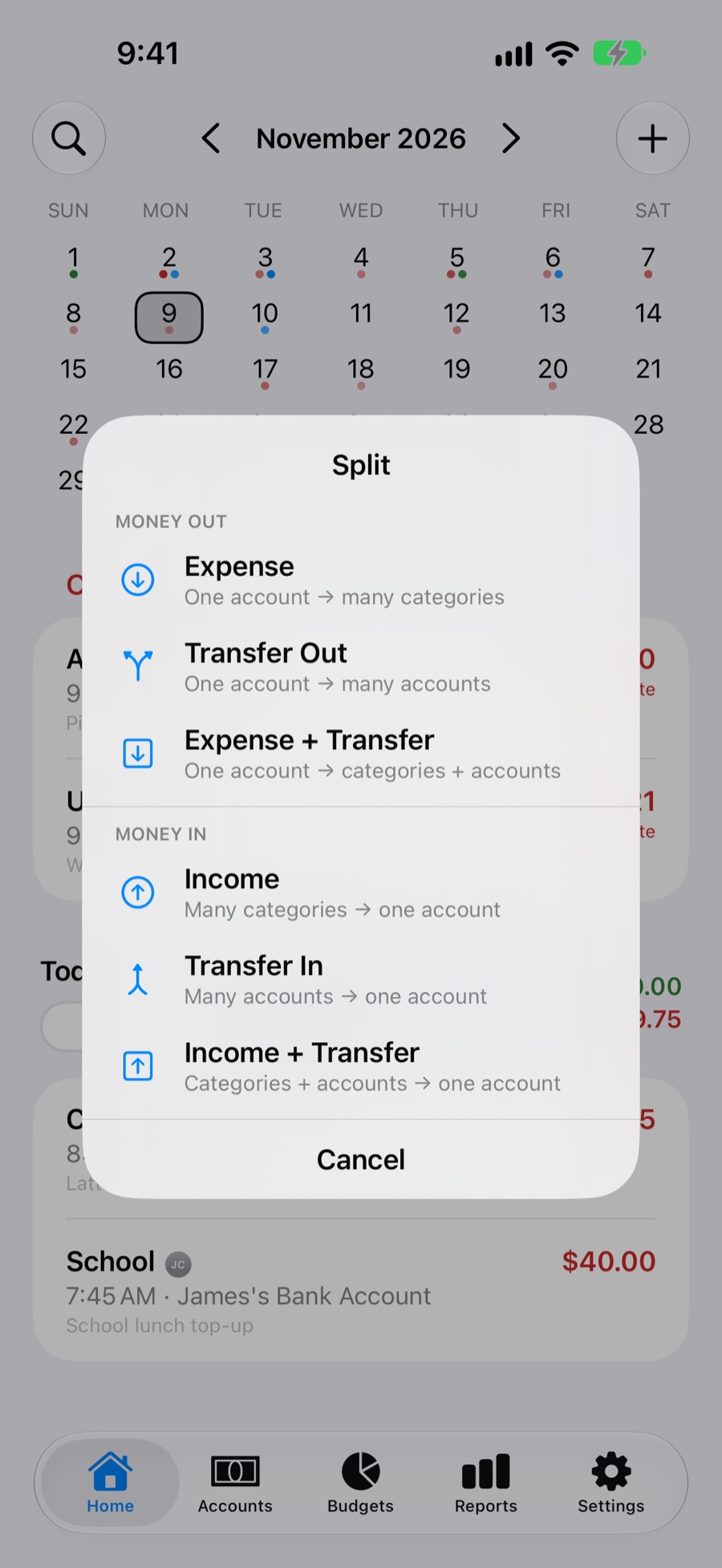
- Split six ways. One payment across many categories, many incomes into one account, transfers to or from several accounts, or categories and transfers together.
- Plan and repeat. Daily, weekly, monthly or yearly, a set number of times or forever. Automatic entries add themselves on the day.
- Edit one or all. Change a single entry or the whole series, or delete only the future ones.
- Exclude from Budget for one-offs that shouldn't count.
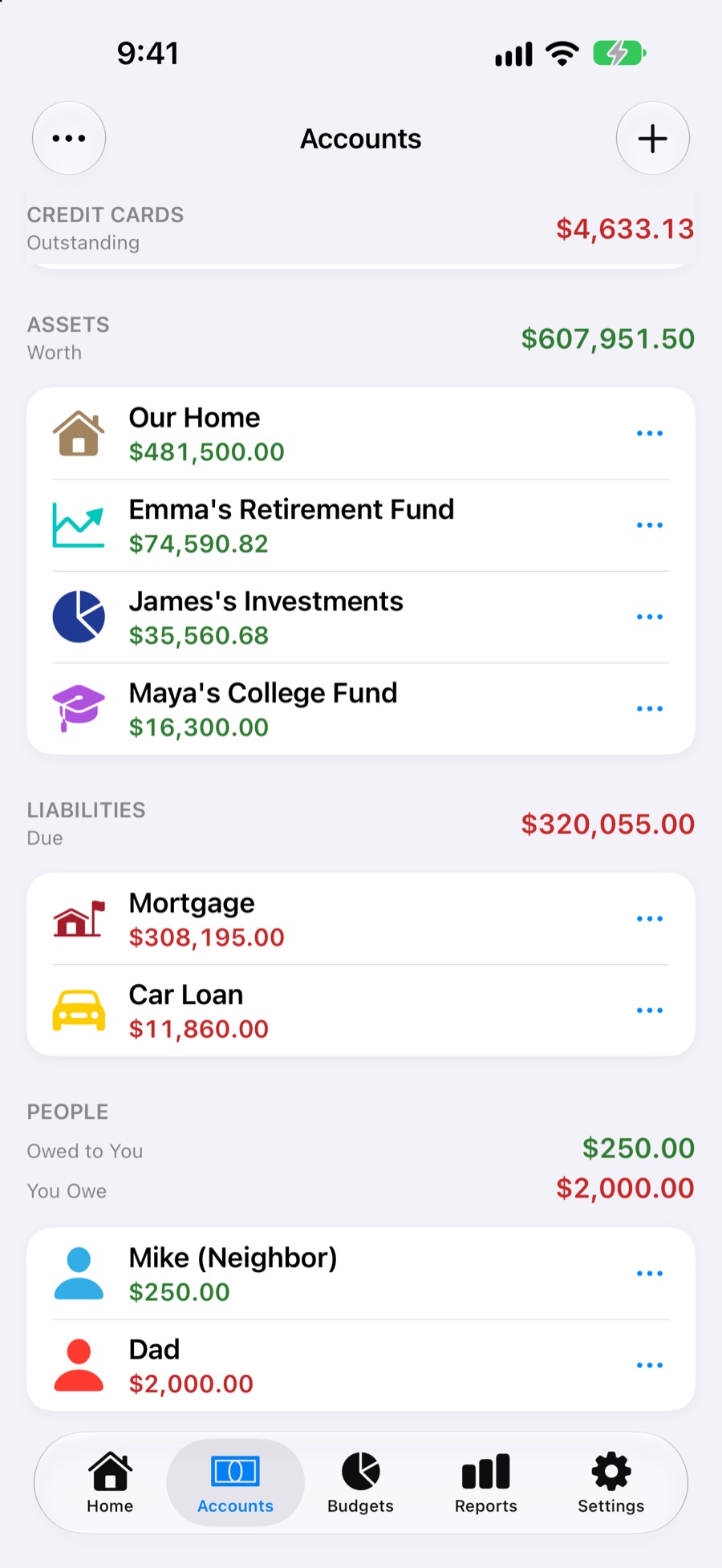
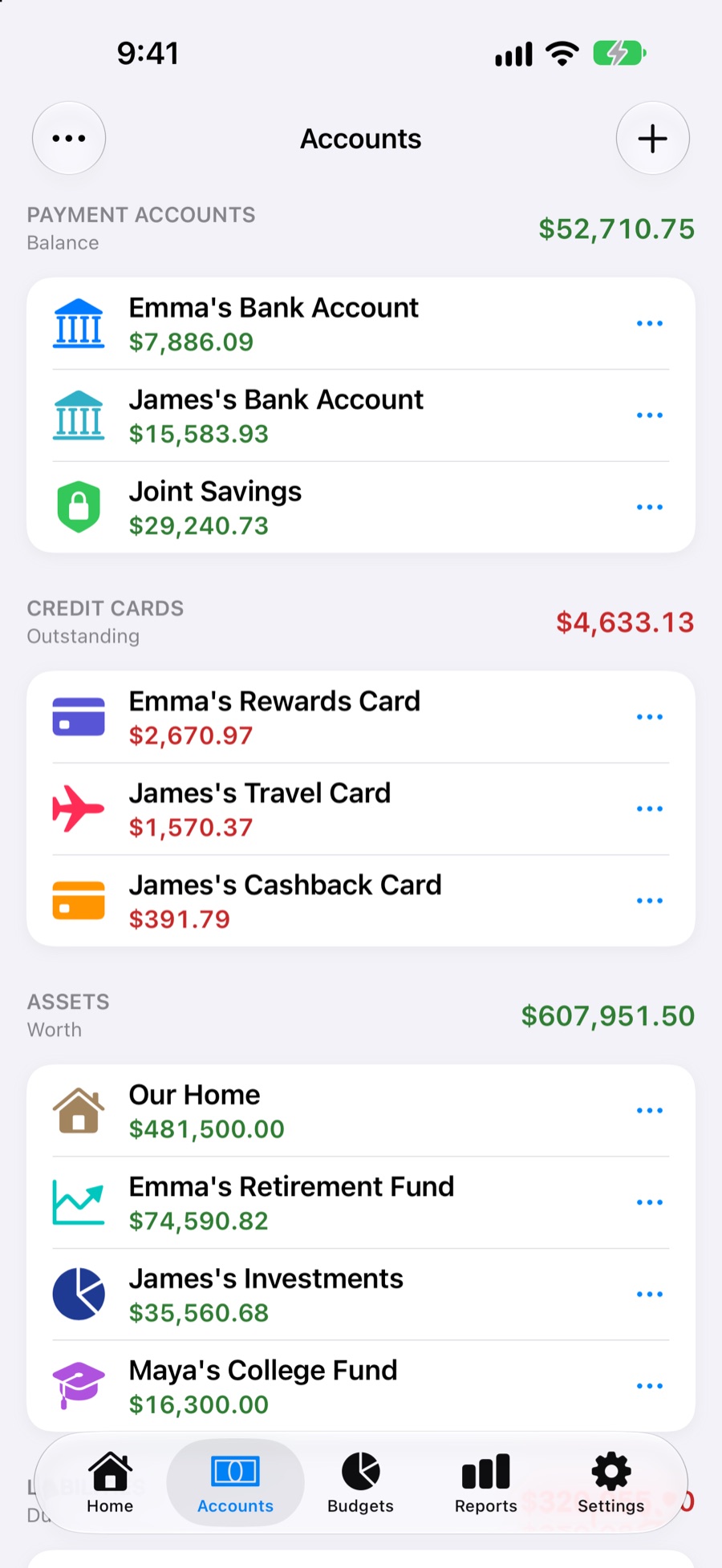
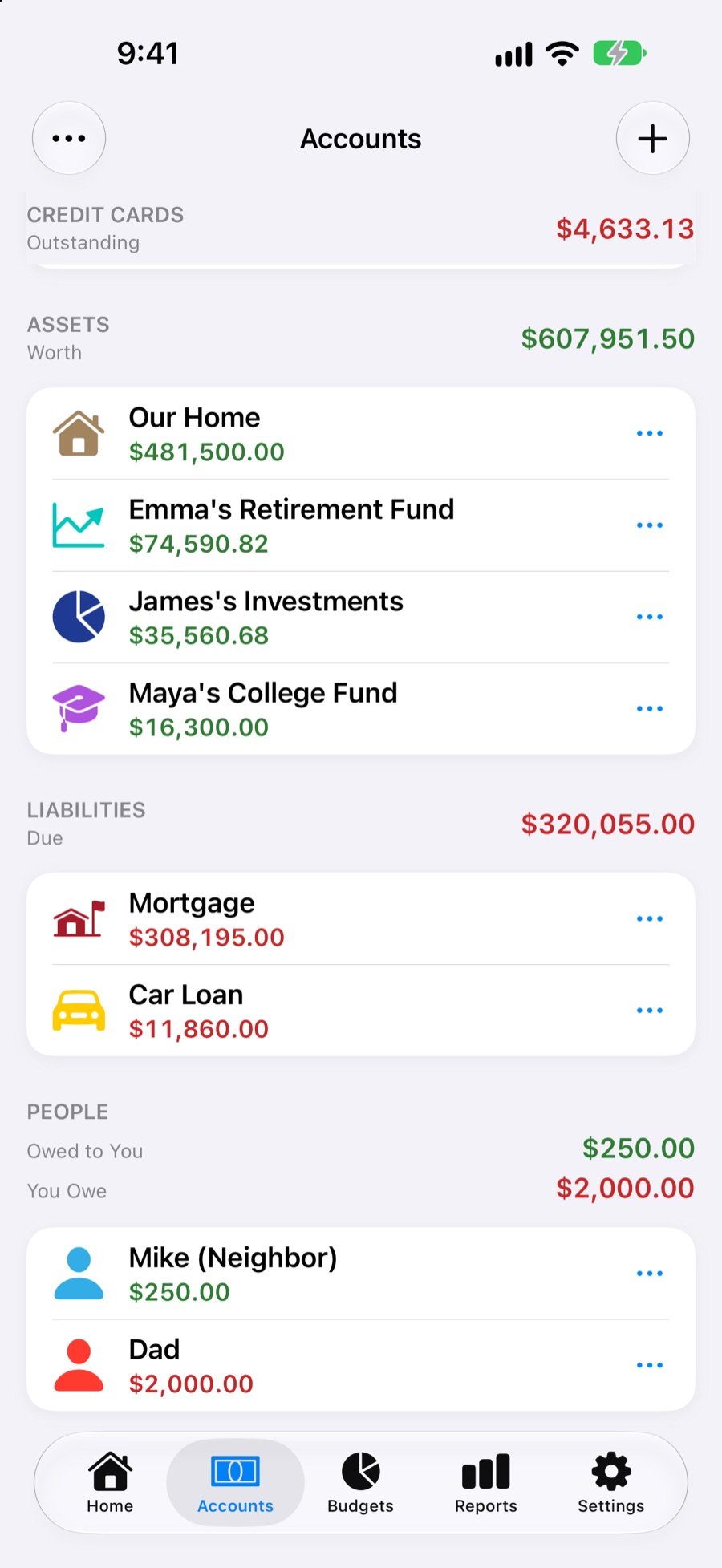
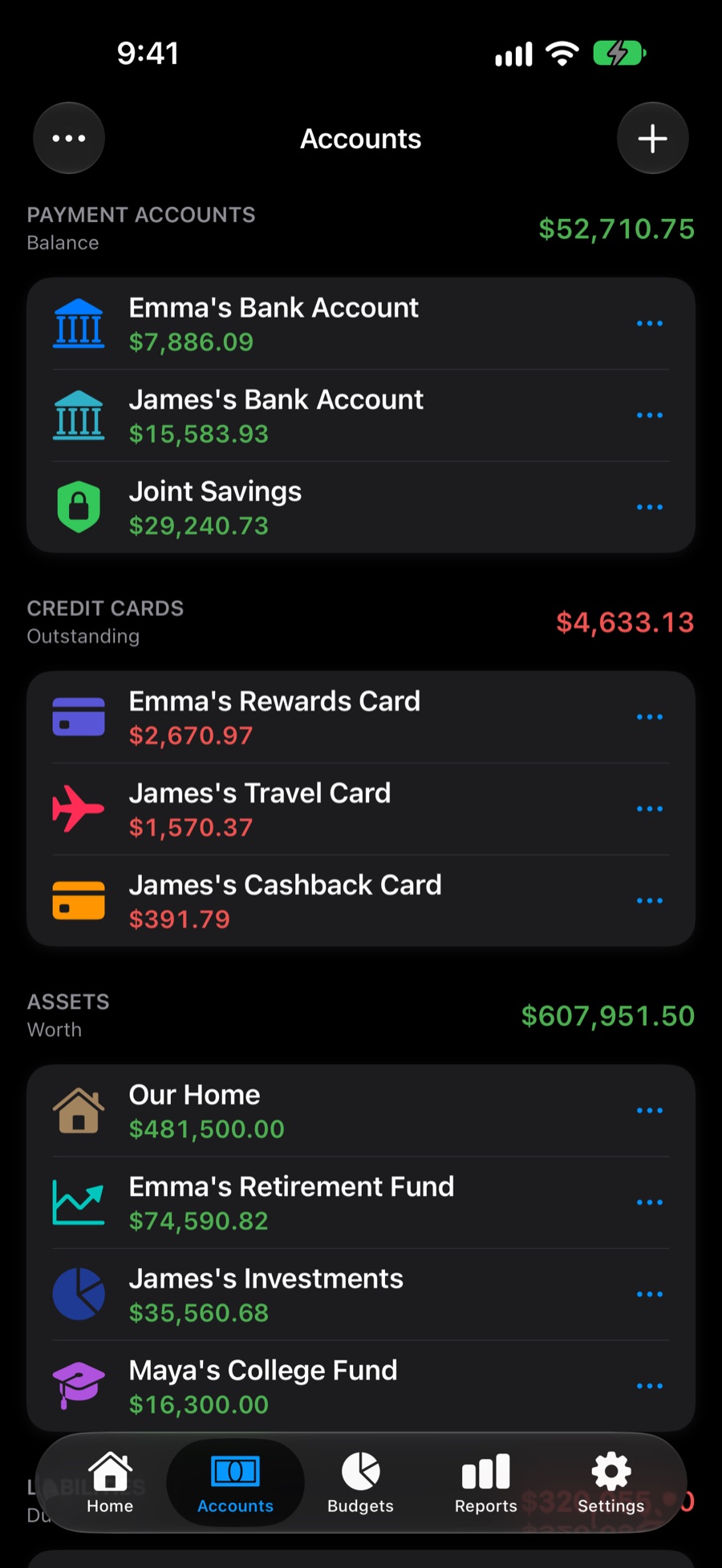
Bank accounts, cards, your home and who owes whom.
Group everything you own and owe: payment accounts, credit cards, assets, liabilities and people.
- Track IOUs. See what's owed to you and what you owe, person by person.
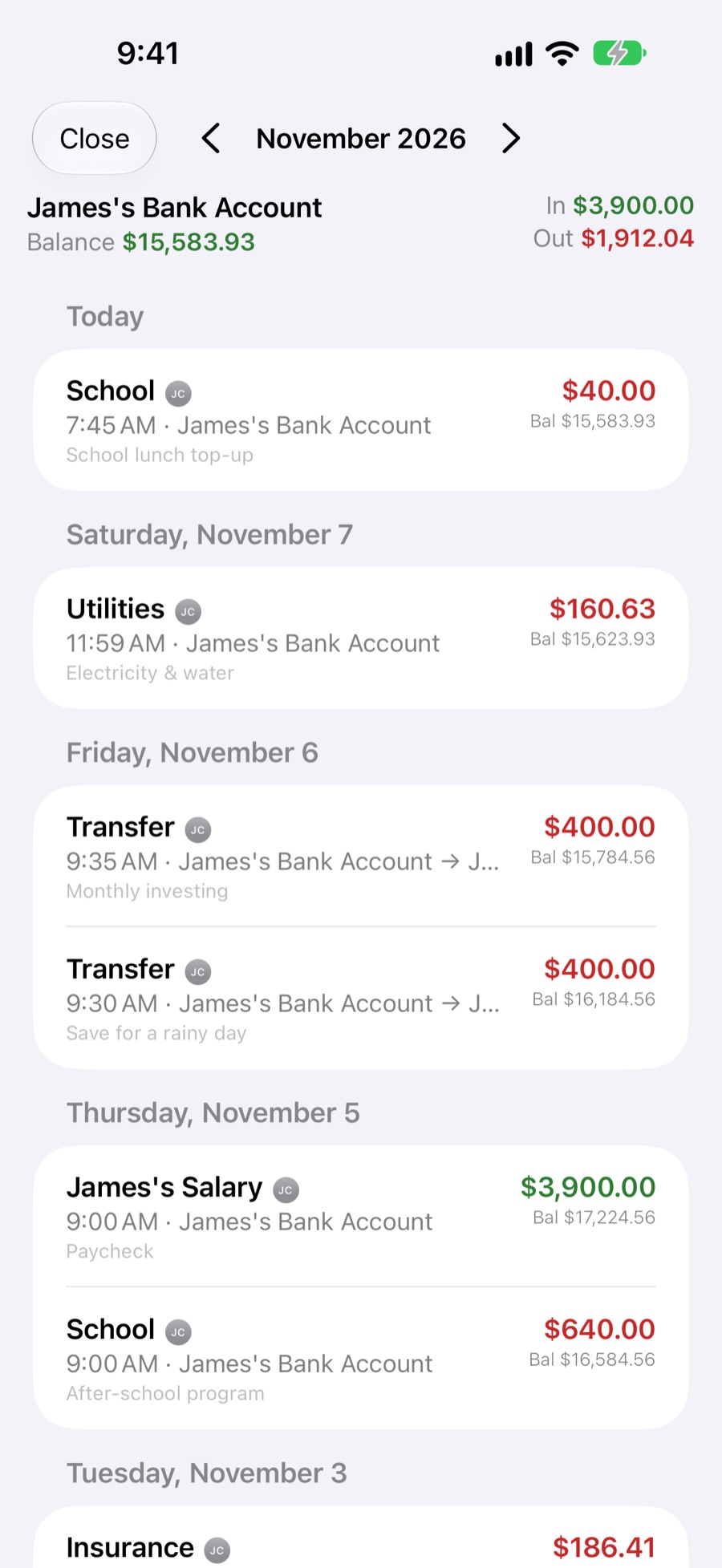
- Running balances on every transaction in an account's history.
- Make it yours. Put accounts in your order, hide old ones and adjust a balance when it drifts.
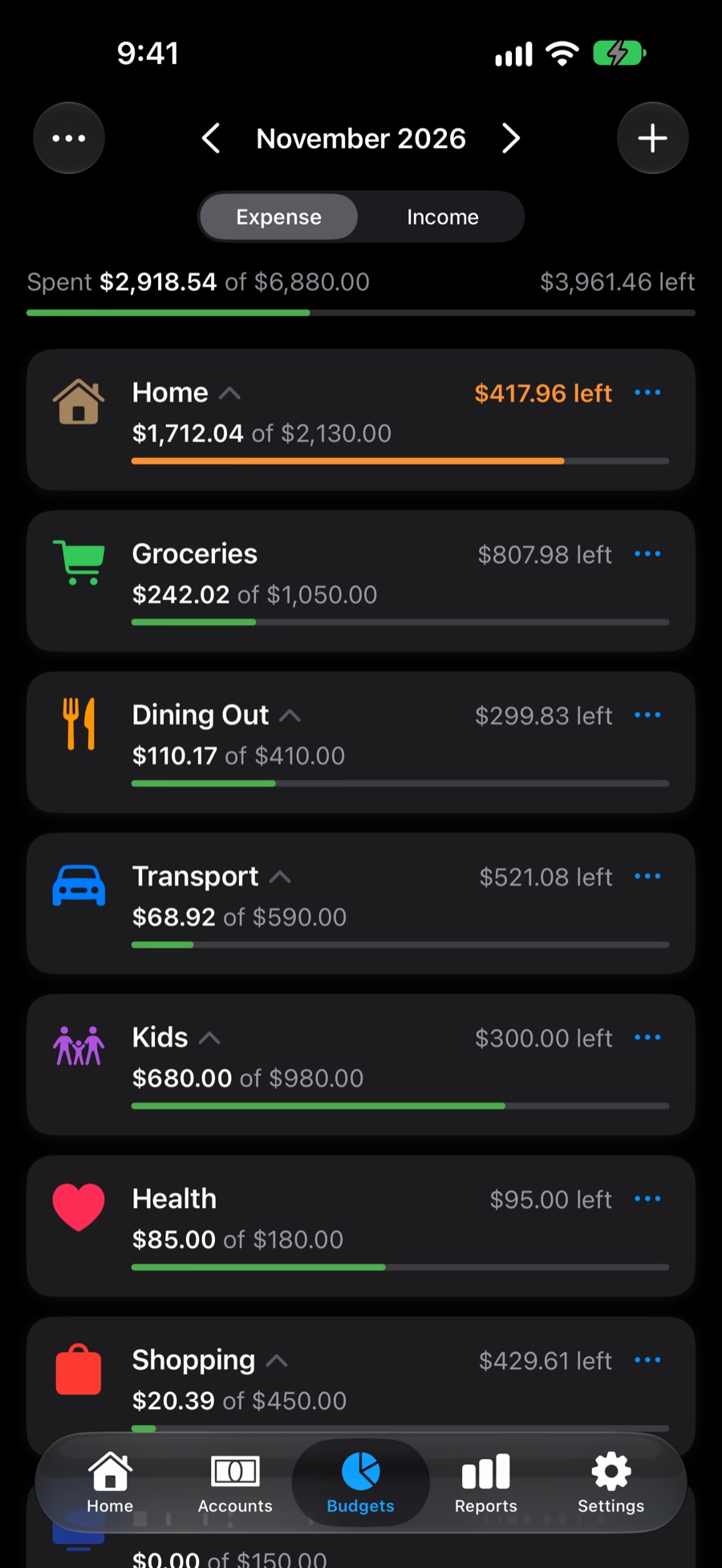
Budgets that roll over, by day, week, month, quarter or year.
Set a budget on any category and see how it's going at a glance. Group categories with subcategories, icons and colours.
- Rollover carries unspent money into the next period, and overspending comes out of it. Reset it whenever you like.
- Change from any period onward, or for one period only, and browse past and future periods on the budget calendar.
- Organise your way. Reorder categories, move one inside another and hide the ones you don't use. On iOS 27, just drag.
- Thousands of icons, suggested automatically from the name.
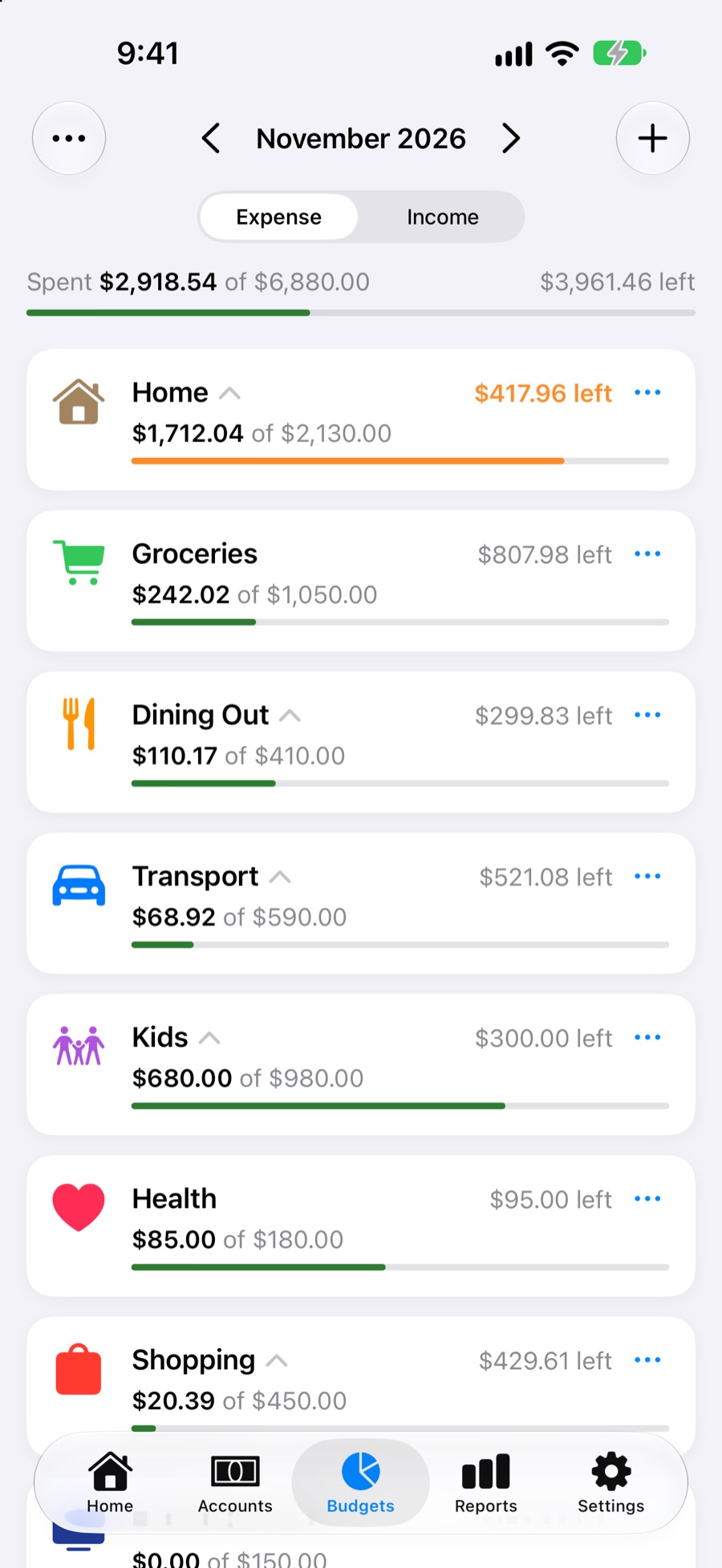
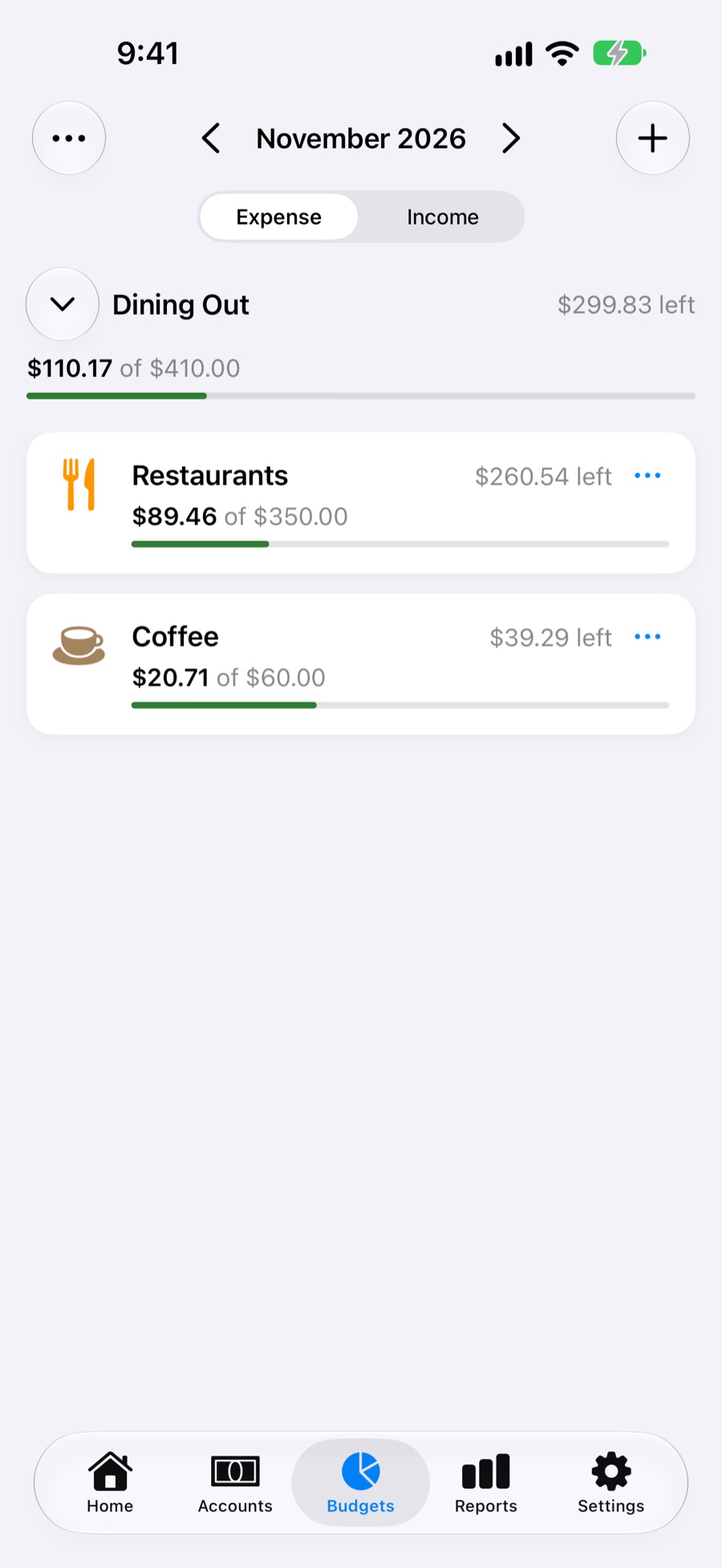
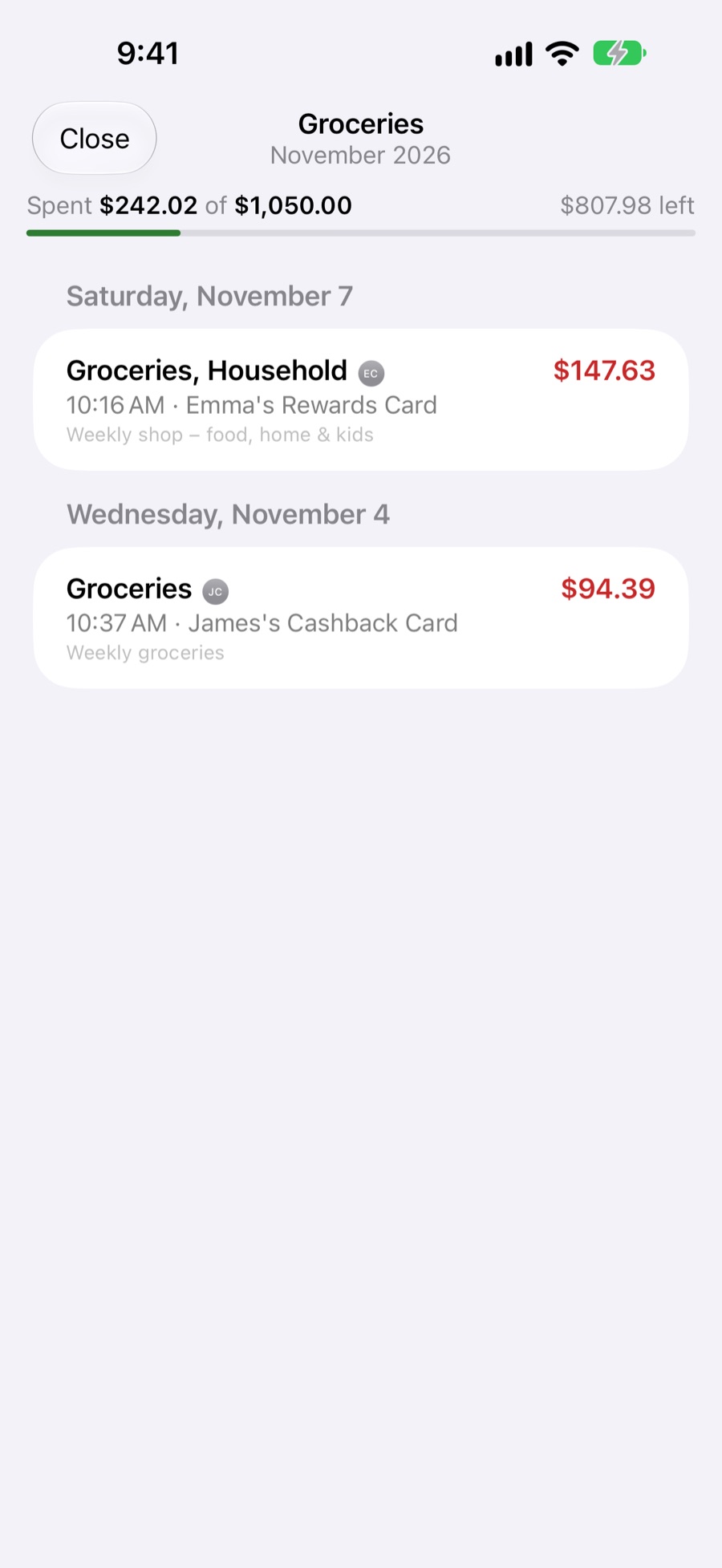
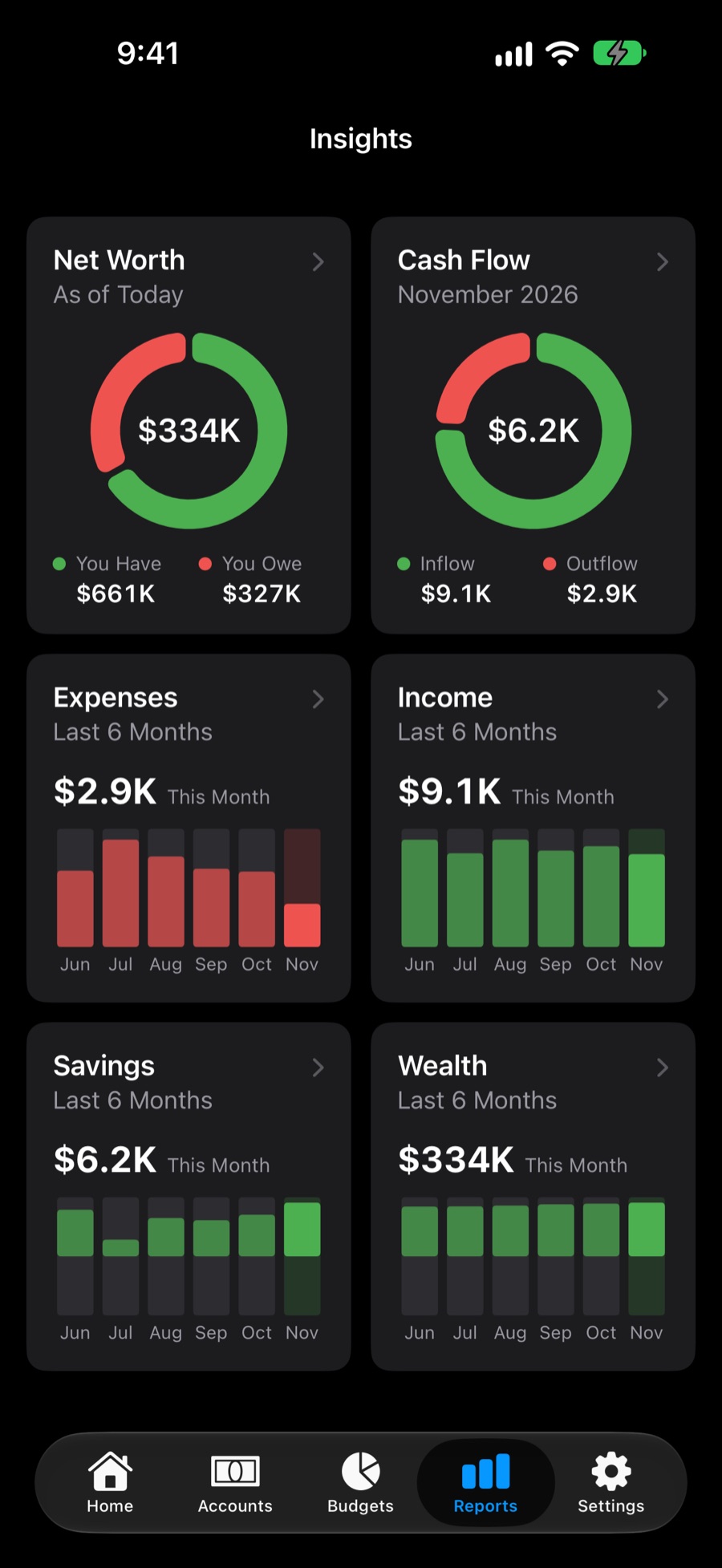
Know where the money went, and where you stand.
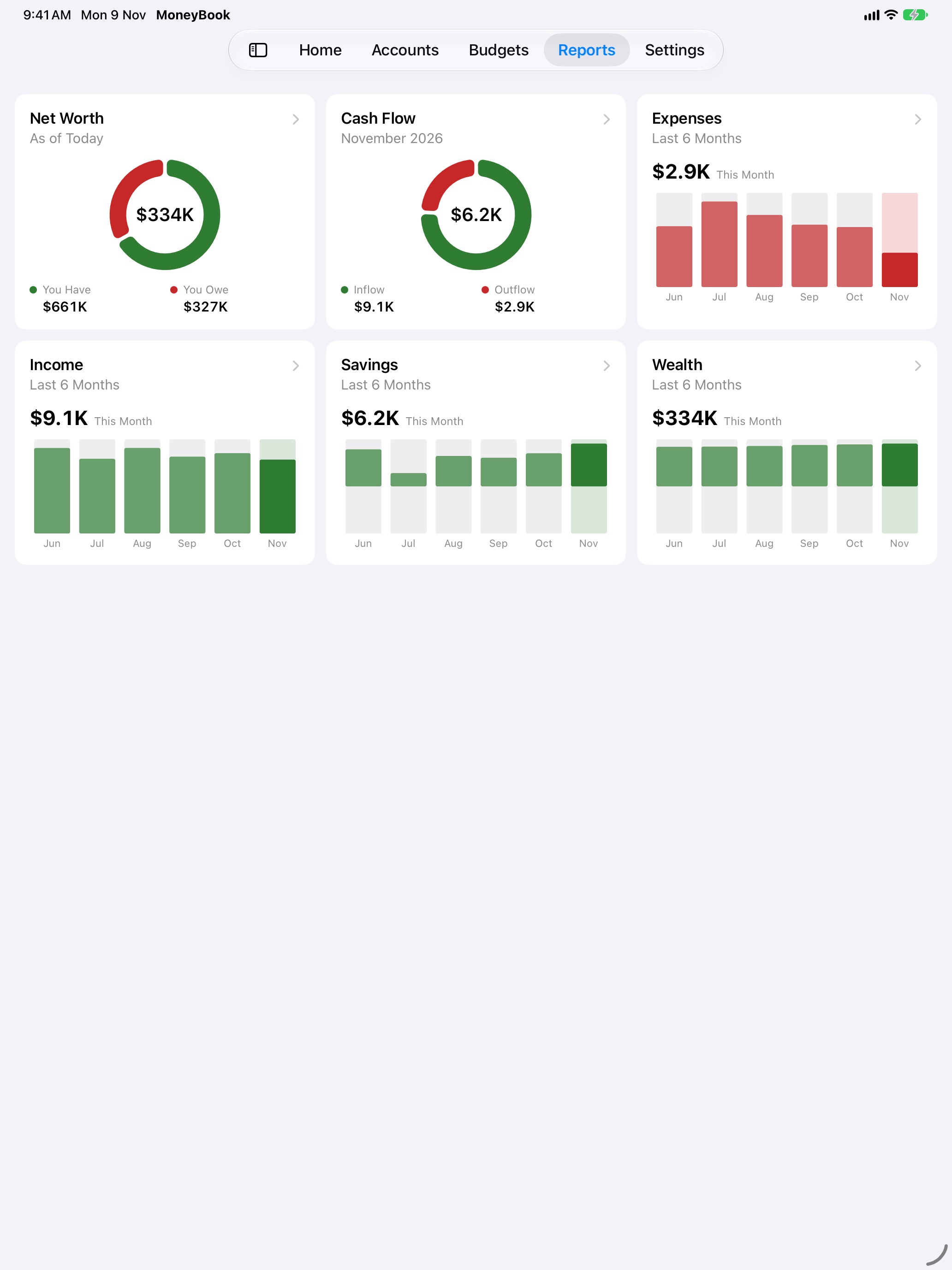
Six insight cards follow your budget period. Tap any card for the full report, then tap a slice or bar to drill into categories and subcategories.
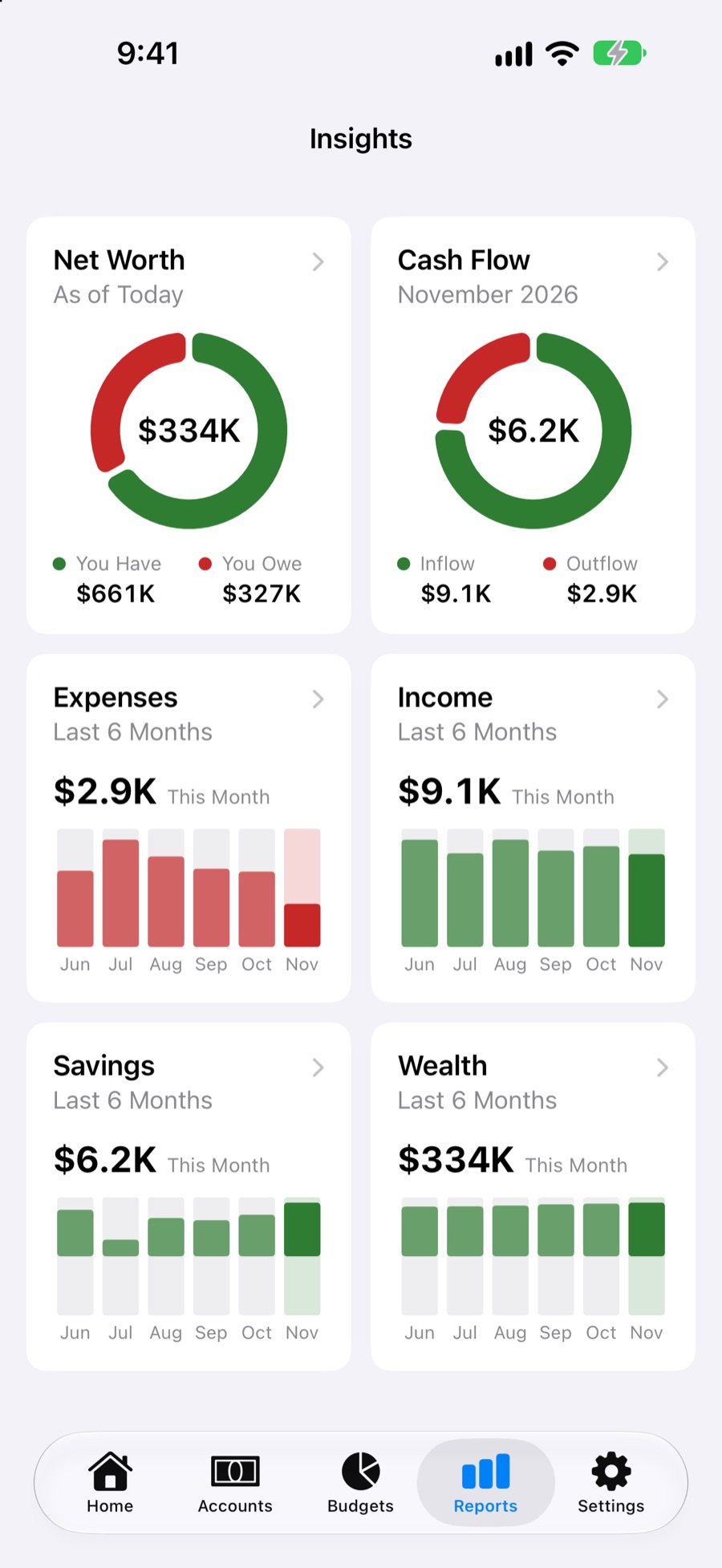
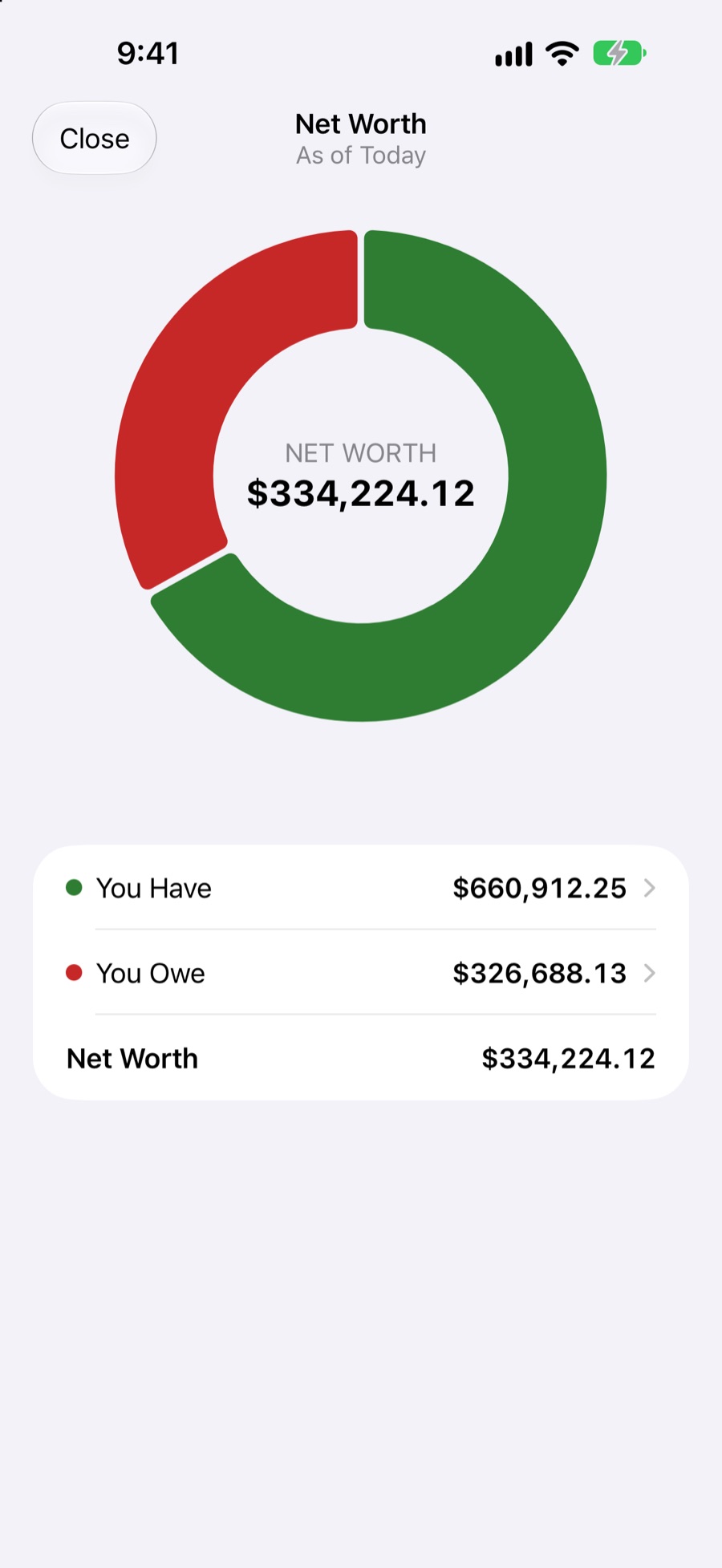
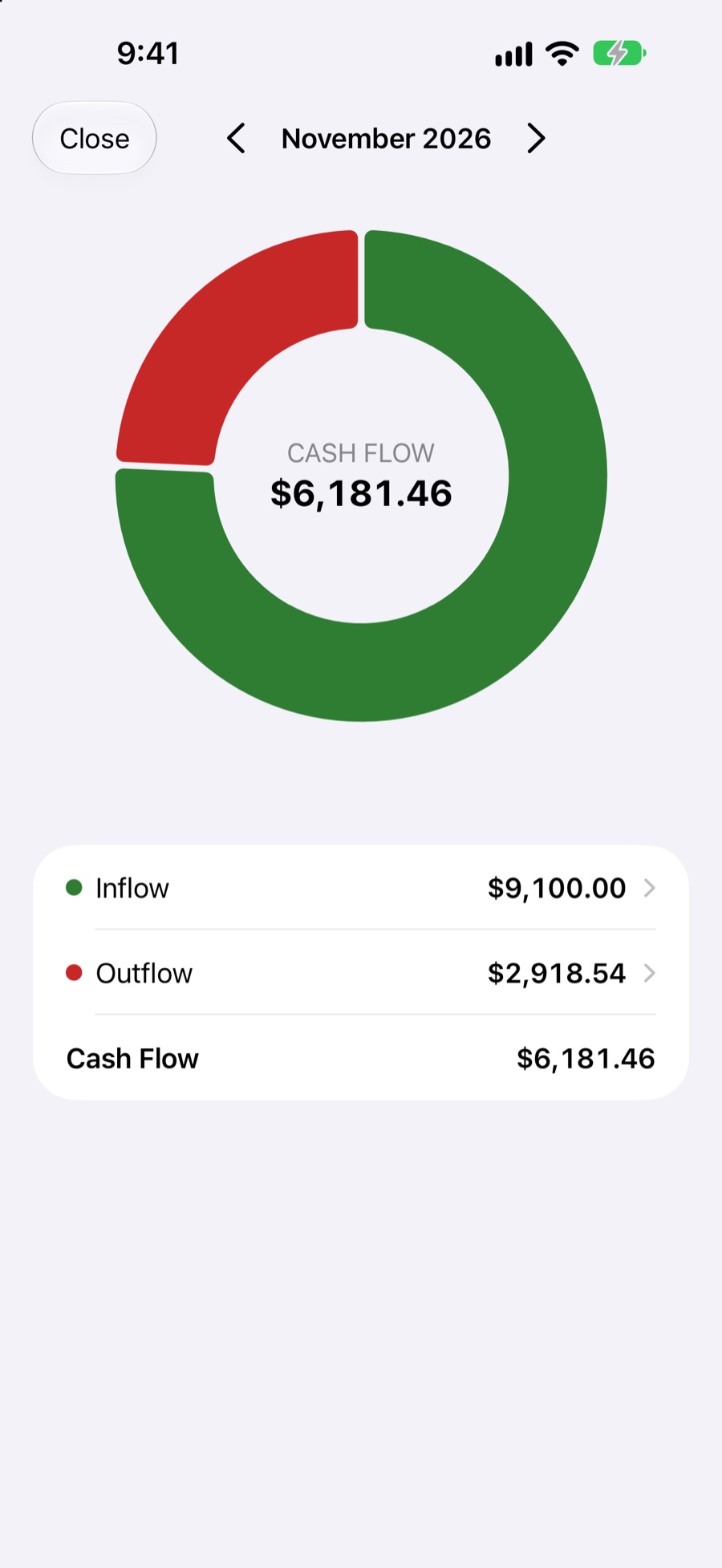
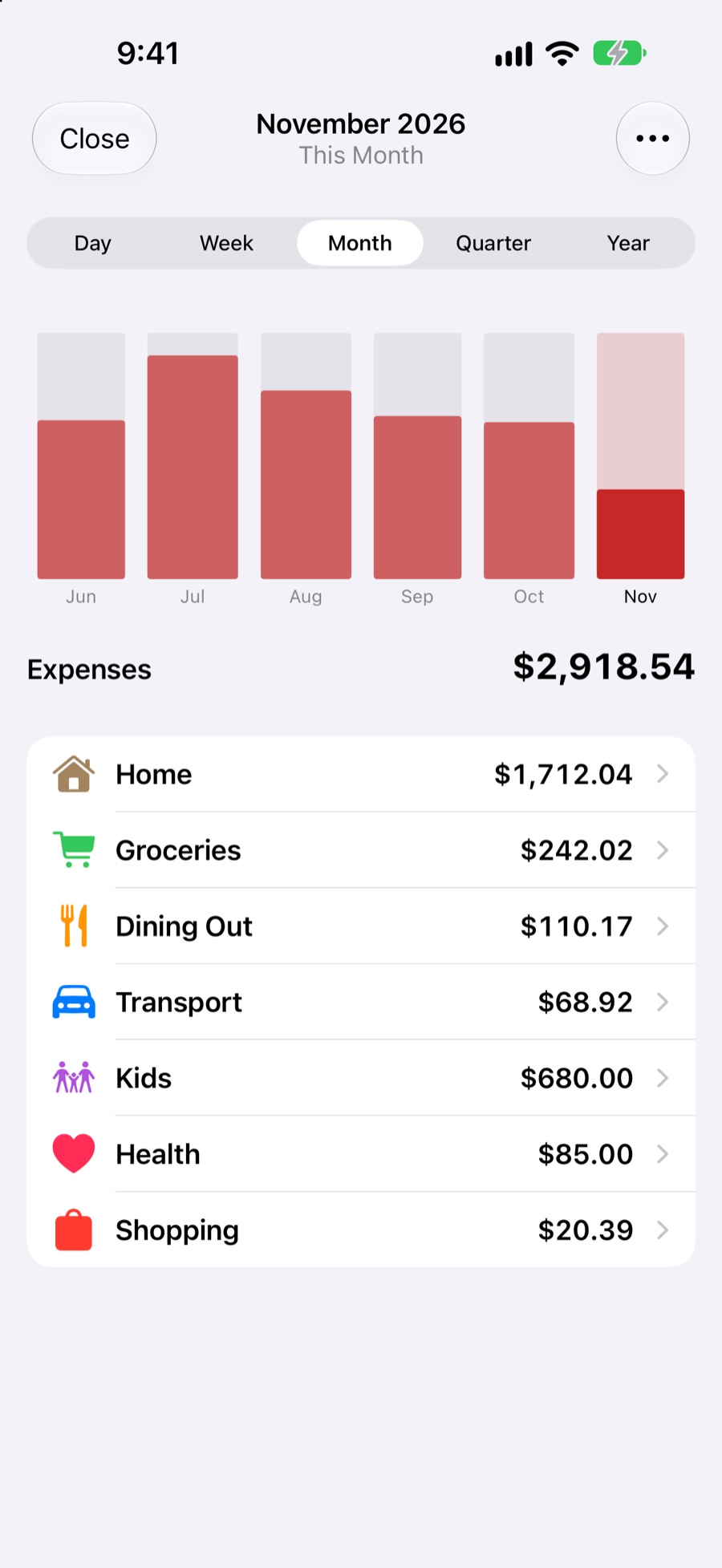
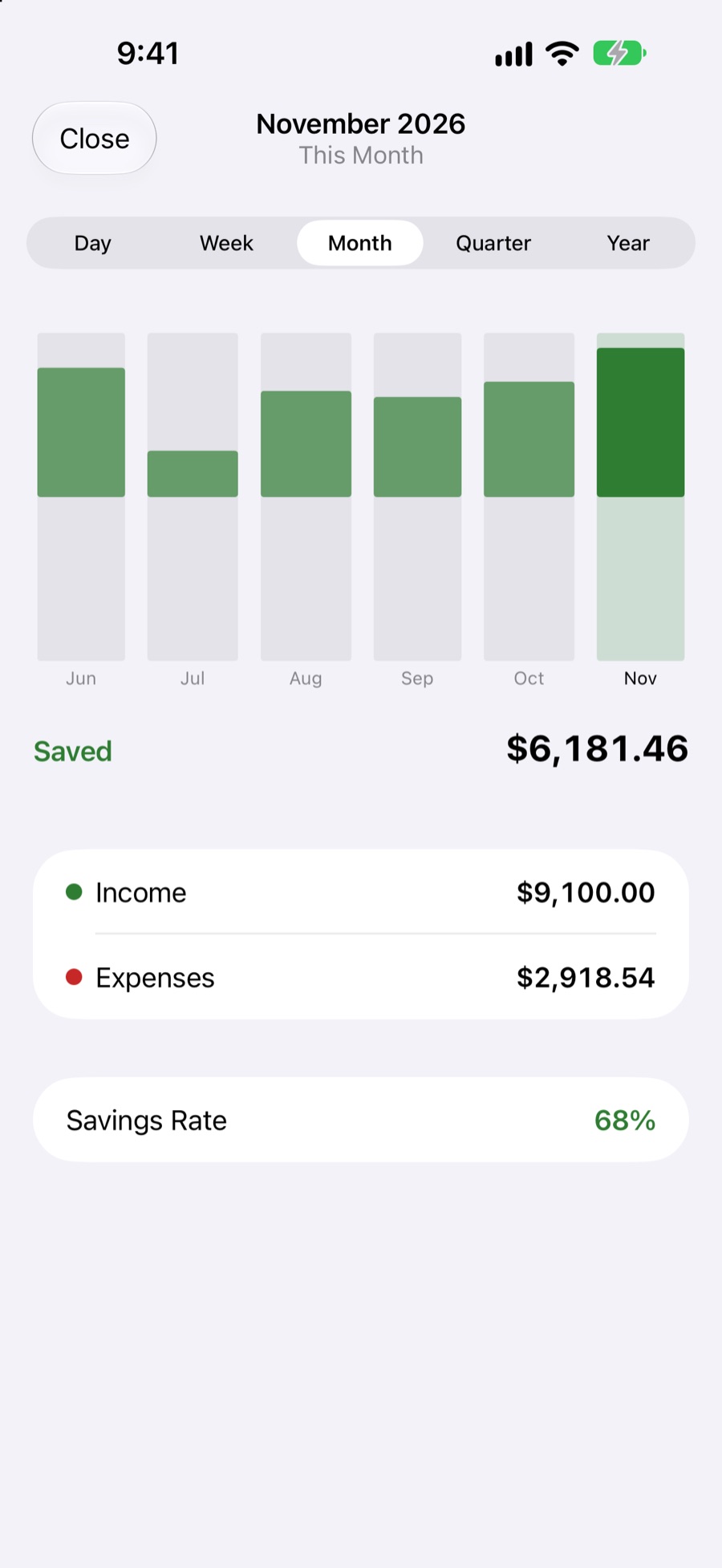
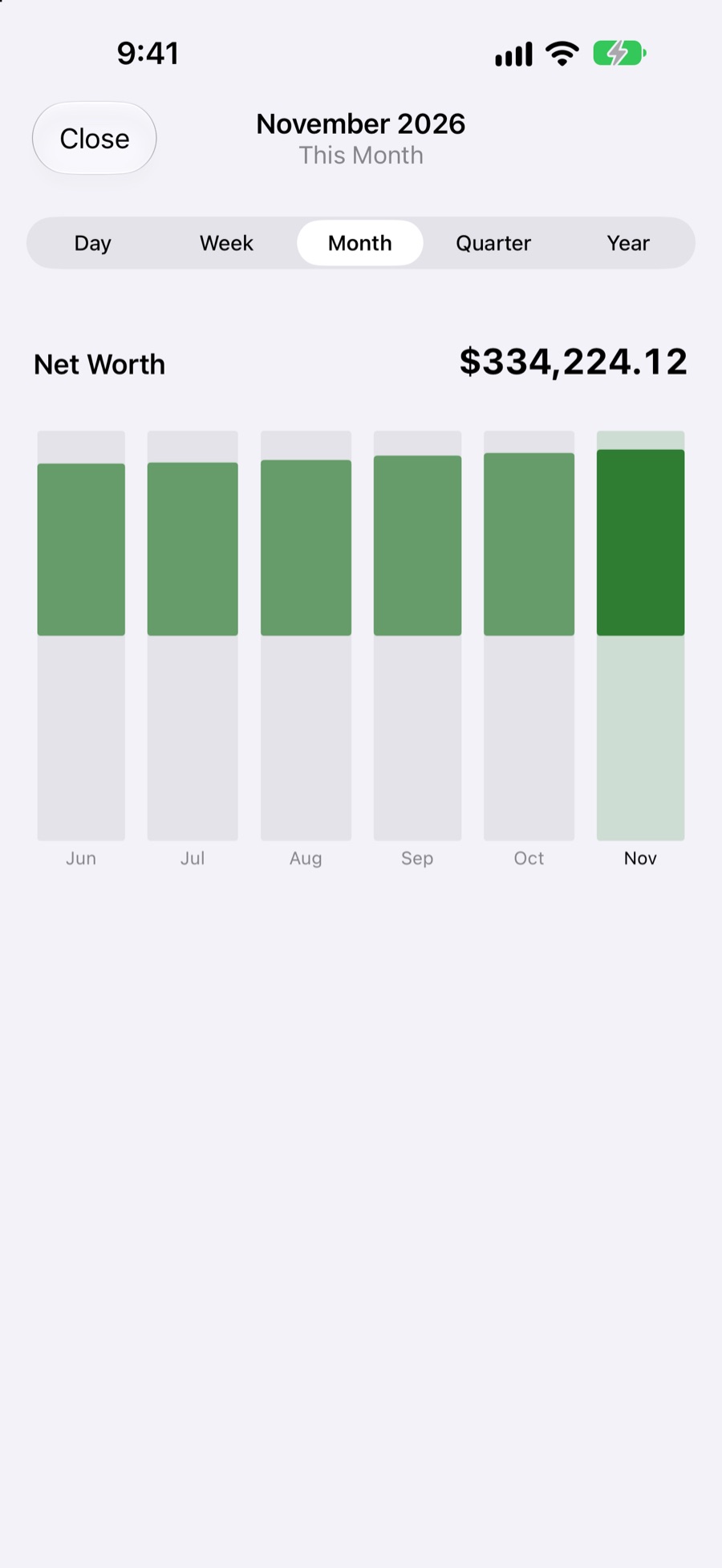
Tap in. See every slice.
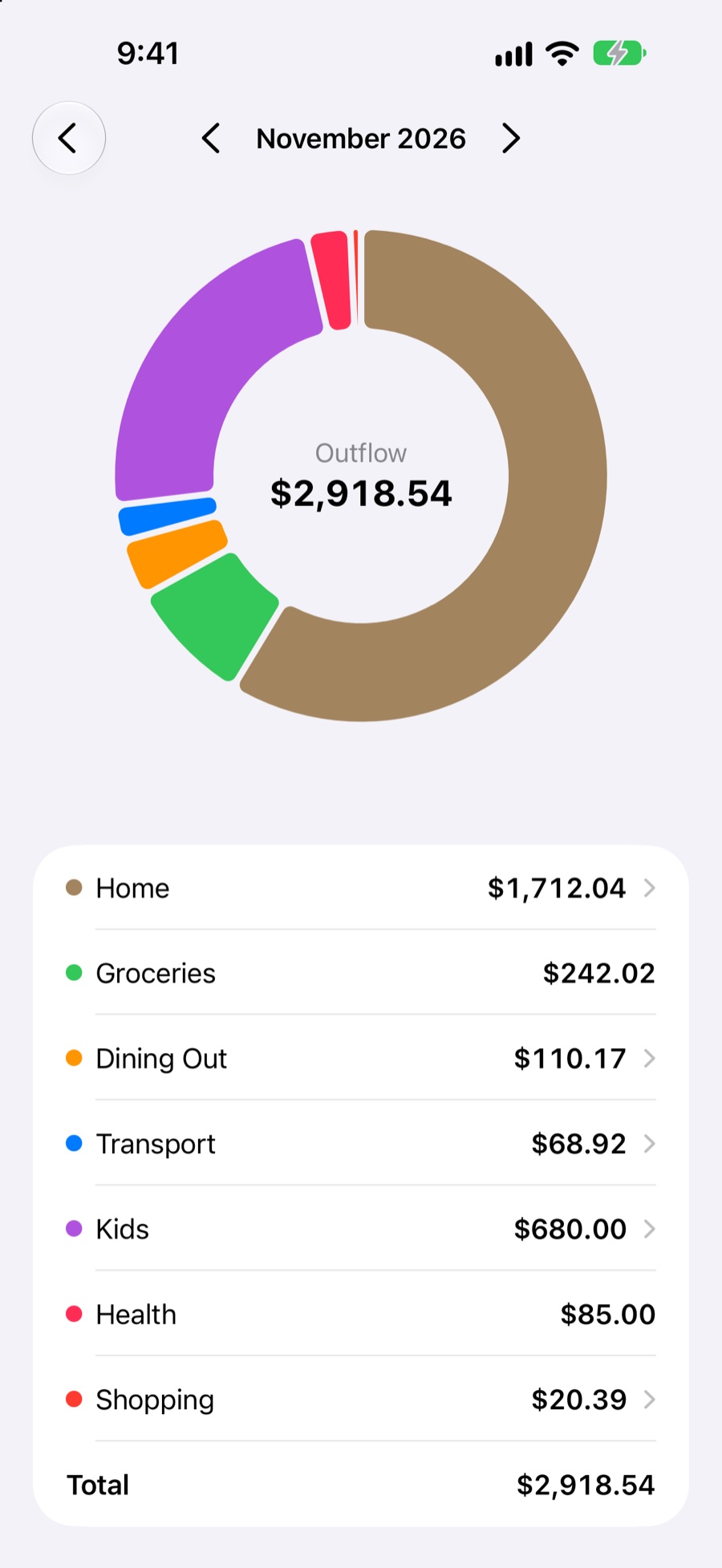
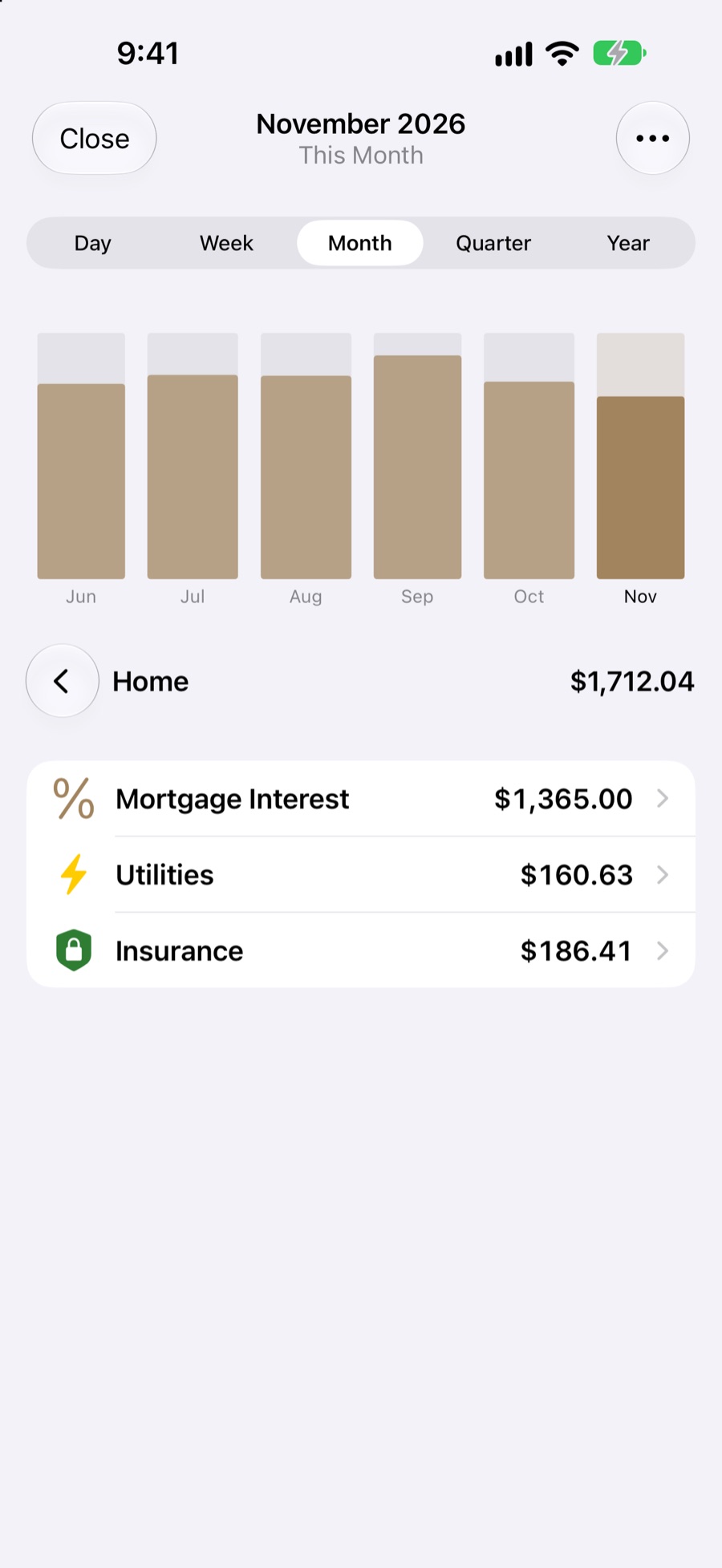
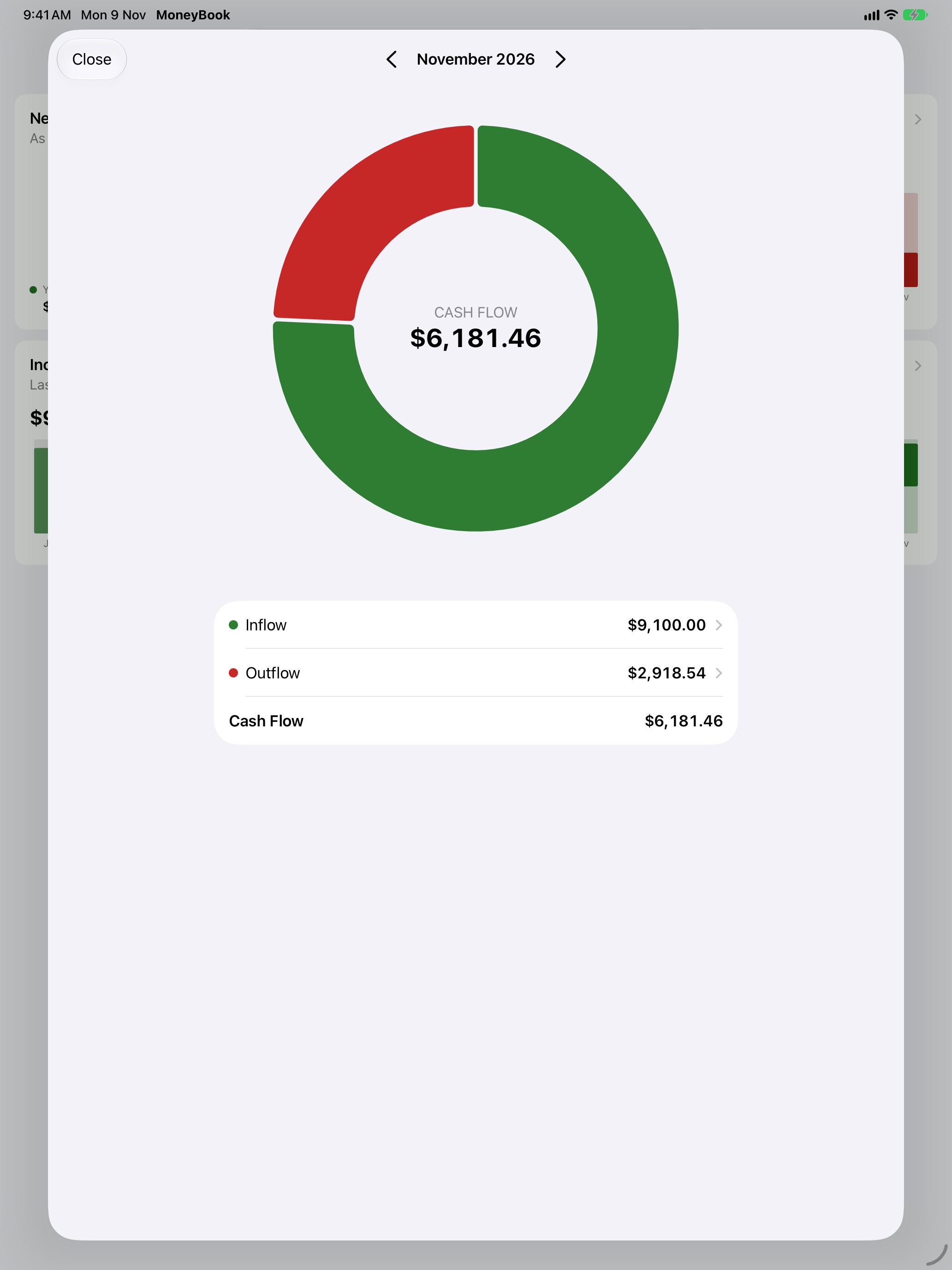
Every chart opens up. Go from the whole month to one category, then its subcategories, then the transactions behind them.
- Open Cash Flow or Expenses & Income from Insights.
- Tap a slice or a bar, like Home, to see what's inside it.
- Keep going: Mortgage Interest, Utilities, Internet & Phone, down to each transaction.
Bills remind you. Expenses log themselves in one sentence.
Reminders
Get a notification on the day or 1, 2 or 3 days or a week ahead, at the bill's time of day. Turn reminders on or off for each device.
 MoneyBooknow
Siri & Apple Intelligence
Say "Add expense in MoneyBook", "Add income in MoneyBook" or "Add transfer in MoneyBook" and describe it in your own words. Apple Intelligence works out the amount, category and accounts, suggests a new category when none fits, and Siri asks for anything you left out. Prefer to go step by step? Add "manually".
Ask Siri, and Shortcuts
Ask MoneyBook how you're doing, without opening it. Every shortcut is listed in Settings → Siri & Shortcuts, with all its phrases.
Made for every screen in the house.
One purchase covers them all, and everything stays in sync through iCloud. On iPad, reports put the chart and its breakdown side by side. The Mac app is native, with menus and keyboard shortcuts. The Apple Watch app works on its own, straight from iCloud.
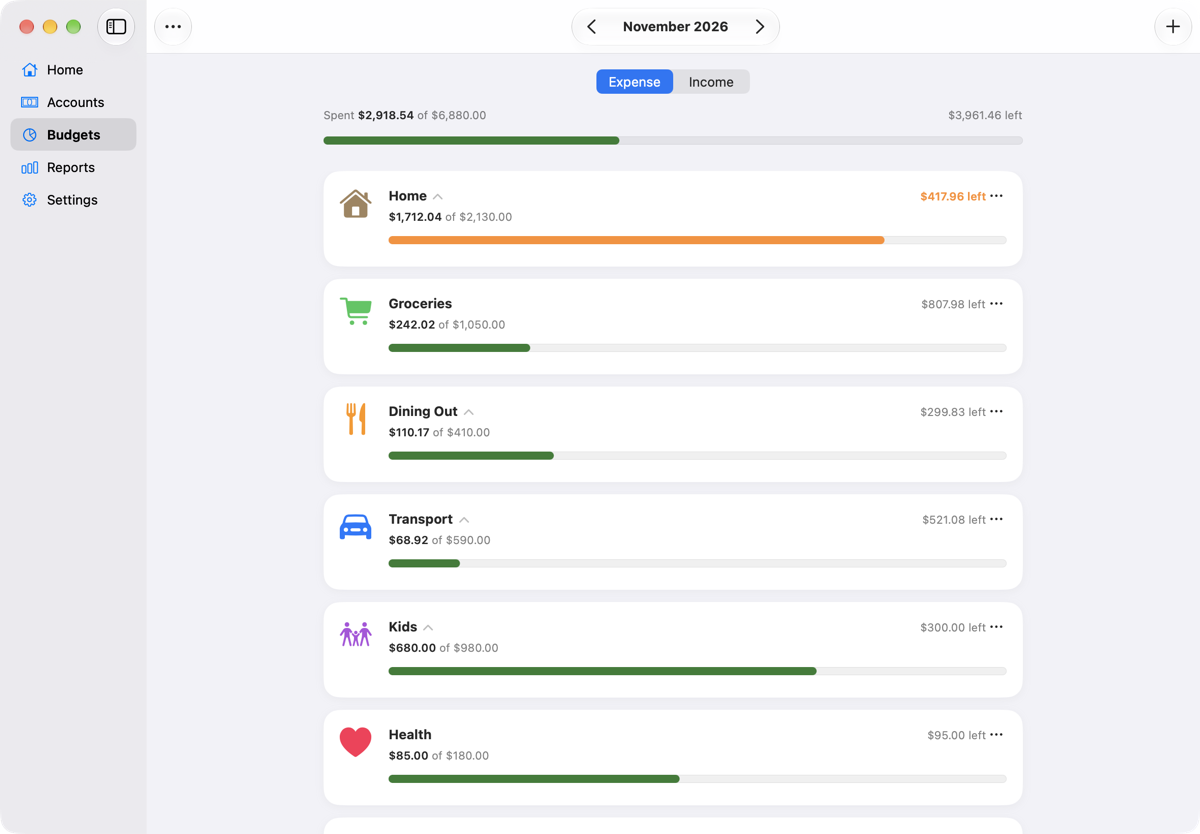
A real Mac app
Not a stretched iPhone app: a sidebar, the menu bar, and forms that open as sheets.
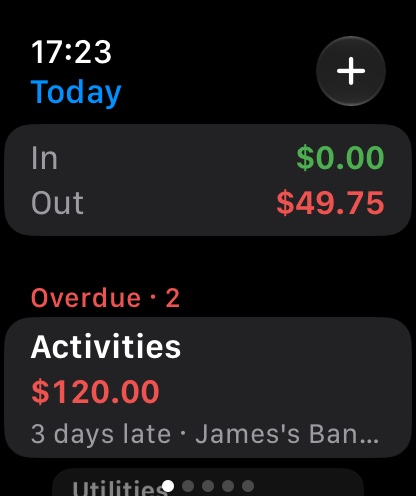
Apple Watch
Works without your iPhone nearby, straight from iCloud.
- Add and edit transactions
- Today's spending and overdue bills
- Balances, budgets and all six insight cards
- Widgets on your watch face
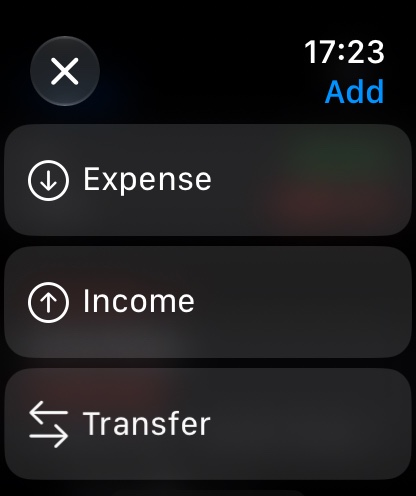
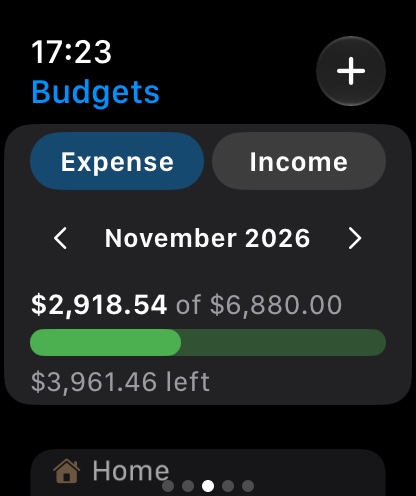
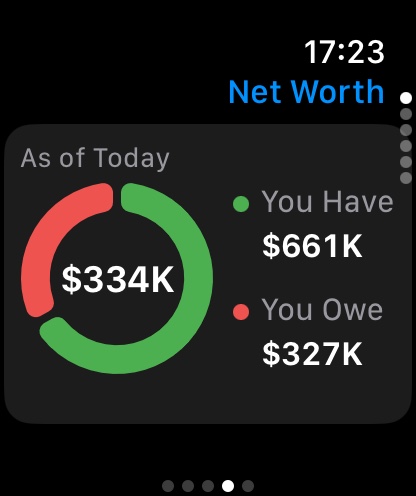
Your numbers on your Home Screen, desktop and watch face.
Five widgets, each in small, medium and large, plus Lock Screen and watch face sizes. Touch and hold one to choose what it shows.
- Net Worth, what you have or what you owe, for all accounts or one type, like assets or credit cards.
- Cash Flow, inflow or outflow for today, this week, month, quarter or year, overall or for one category.
- Expenses & Income by day, week, month, quarter or year, for any category.
- Savings and Wealth period by period.
Easy on the eyes at night.
Every screen follows your device's appearance.
Your data stays in your iCloud.
No account to create, no ads and no bank logins. MoneyBook keeps working offline and syncs when you're back online.
Built for everyone.
VoiceOver throughout, Audio Graphs for charts, Dynamic Type, Reduce Motion and Differentiate Without Color.
In 49 languages.
One subscription covers the whole family.
Everyone gets their first month free, with no payment details needed. With Family Sharing, one purchase covers everyone in your family group.
Monthly
Add and change everything on all your devices.
Yearly
Less than 84¢ a month, billed once a year.
Lifetime
Pay once, keep MoneyBook Plus for good.
Your free month starts when you first download MoneyBook, on all your devices. After it, you can still open MoneyBook and see all your data, but adding and changing things needs MoneyBook Plus. Subscriptions renew automatically until cancelled. Prices are in US dollars and may vary by country.
Questions
Does MoneyBook connect to my bank?
No. You add transactions yourself, by hand, with Siri or with a shortcut. Nothing asks for your bank login.
Where is my data stored?
On your devices and in your own iCloud account. Profiles you share live in your iCloud too, and only people you approve can see them.
Does everyone in the family need to pay?
No. With Family Sharing, one purchase covers your family group. People outside it who you share a profile with need their own subscription to make changes; they can always view.
Is there a free trial?
Yes. Everything is free for your first 30 days, with no sign-up or payment details. After that you choose monthly, yearly or lifetime, or keep viewing your data for free.
What happens to what I say to Siri?
When you add something in one sentence, Apple Intelligence reads it with your account and category names: on your device on iOS 26, or with Apple's Private Cloud Compute on iOS 27, which doesn't keep it. We never receive it. Your last 20 Siri entries stay on that device for 7 days so problems can be fixed, and reach us only if you choose to include them in a support email. The "manually" shortcuts and Siri's answers about balances, budgets and spending never use Apple Intelligence. See the privacy policy.
Which devices does MoneyBook need?
An iPhone or iPad with iOS or iPadOS 26 or later, a Mac with macOS 26 or later, or an Apple Watch with watchOS 26 or later. One purchase covers all of them. A few extras, like dragging to reorder, need version 27.
Can I use it without internet?
Yes. Everything is saved on your device first and syncs when you're back online.
Which currencies are supported?
Each profile has its own currency, chosen by the owner, so a family in one country and a business in another can both use MoneyBook.
How do I get help?
Visit MoneyBook Support, or use Email Support or Message Us in MoneyBook's Settings.